Standalone tool · Windows 10 or 11, 64-bit
GoMMO Studio
One editor for MMO worlds and the models in them.
Open a game client or your own MMO World folder and work on all of it in one window: maps, spawns, portals, props and lights on one side, characters, armour, animations and spell effects on the other. Every edit lands in a project first, and Install puts it into the game with a backup of every file it replaces.
- Map editor and model viewer in one window
- Nothing touches your client until you press Install
- Every install backed up, and one click to restore it
- Free, no installer, updates itself
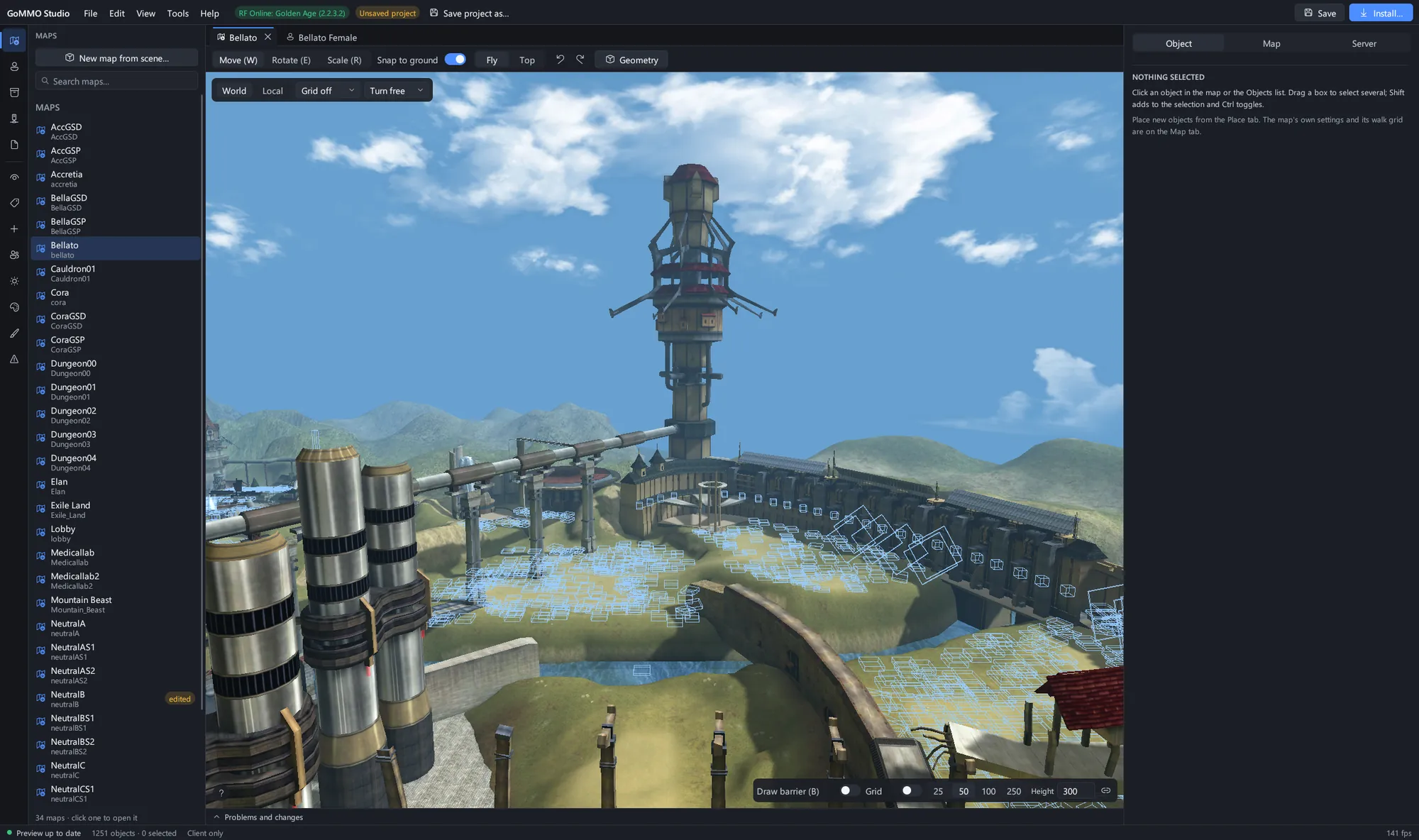
Bellato from RF Online: Golden Age as a map document: the Union's tower and refinery in the 3D view, every map of the client in the panel beside it.
What it does
One window, one project
Maps and models open side by side as tabs over one client and one project. Open a selected spawn's monster as a model, or place the model you are looking at on the map.
A full map editor
Place and edit spawns, NPCs, portals, regions, props, walls and lights, with move, rotate and scale handles, prop brushes, undo for every step and a live problems check.
A model viewer that plays everything
Browse every character, creature and item by name. Dress a body piece by piece, scrub any animation, play RF forces and skills with their effects, and capture stills, turntables and GIFs.
Install with backups
Edits stay in a project until you install them. Install shows every file it will change, writes the client and the server together, backs up what it replaces and undoes it in one click.
Build your own MMO World
Start a world from nothing in the open MMO World format: glTF models, heightmap terrain, a walkable grid, a world graph that finds broken portals, and Lua exporters into any game's files.
Recolour a texture in seconds
Shift hue, saturation, brightness and contrast, or swap one colour for another, and watch the model change. It saves in the game's own texture format, size and mip count.
Look inside the game's archives
Browse RF, World of Kung Fu and Gate to Heavens archives, search their files, pull one out to edit, and repack the archive with your changes.
Run the server beside it
Link your server folder and start, stop and watch it from the Server panel, so a map edit is one Install and one restart away from being tested in game.
Works with an AI assistant
Studio speaks the Model Context Protocol, so an assistant such as Claude can open maps, place objects, take screenshots and plan an install while you watch.
Screenshots 36
Bellato from RF Online: Golden Age as a map document: the Union's tower and refinery in the 3D view, every map of the client in the panel beside it.
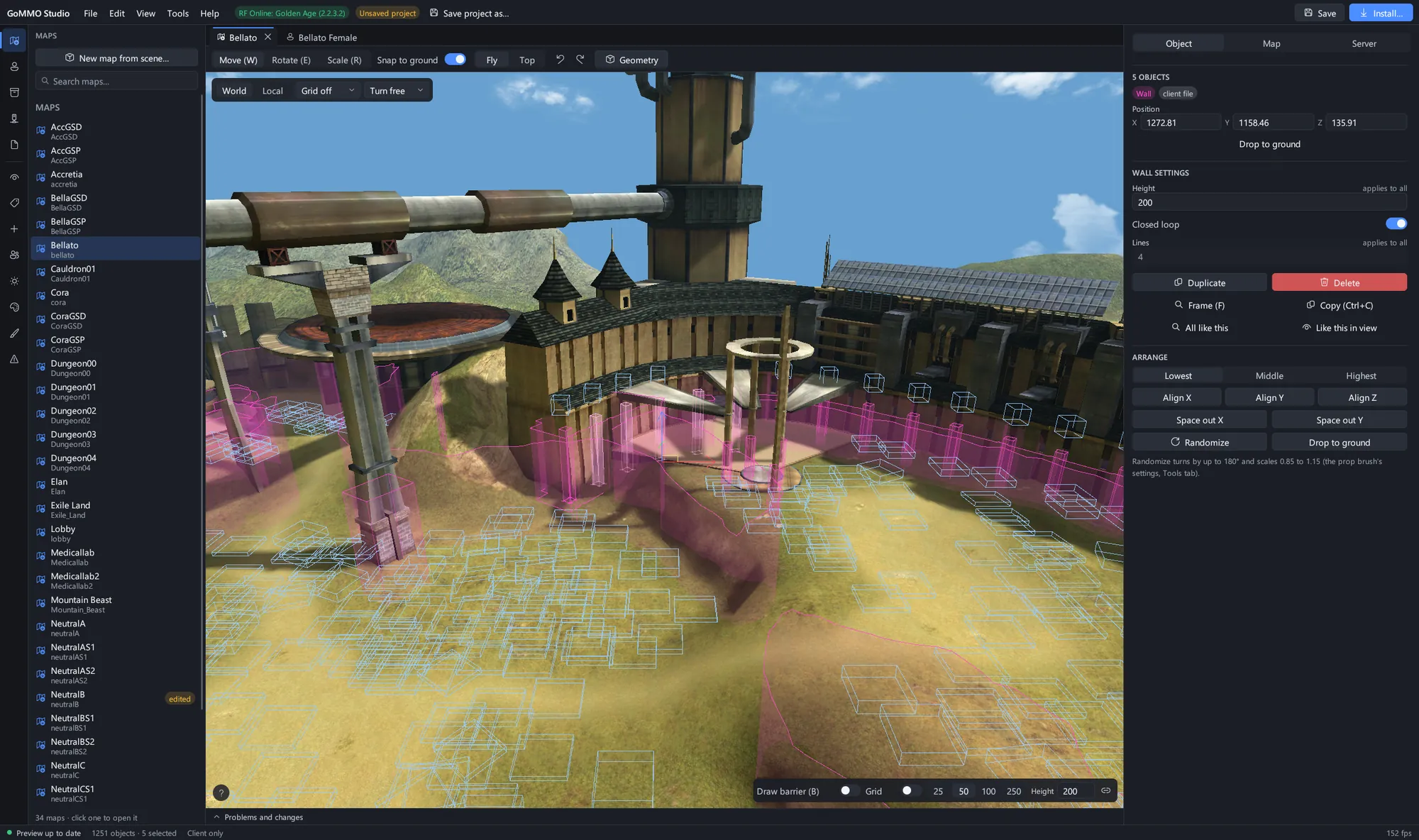 Five barrier walls selected under the tower, with their points, height and the arrange tools in the inspector.
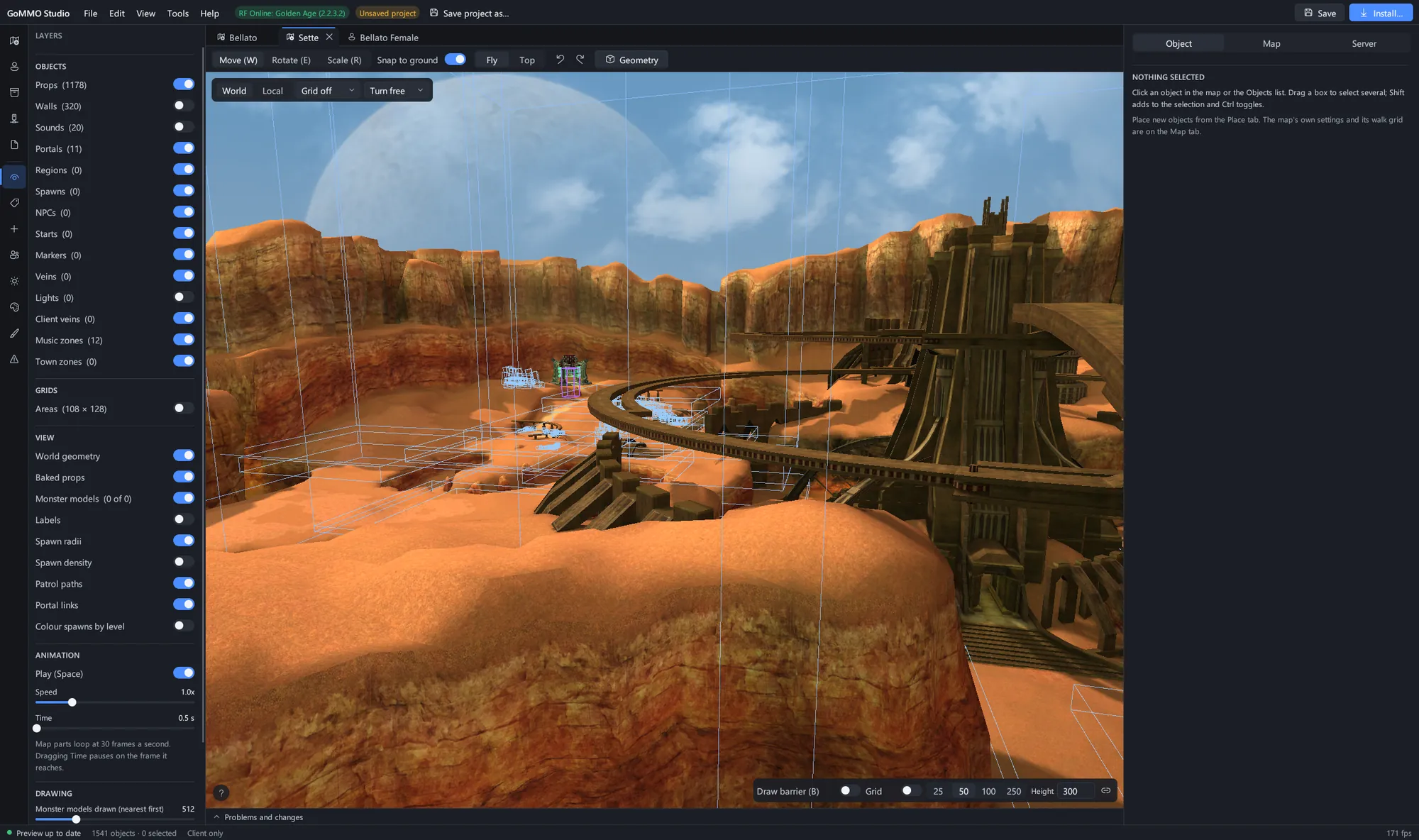 Sette with the Layers panel: show or hide props, walls, portals, regions, lights, veins and zones, and play the map's own animation.
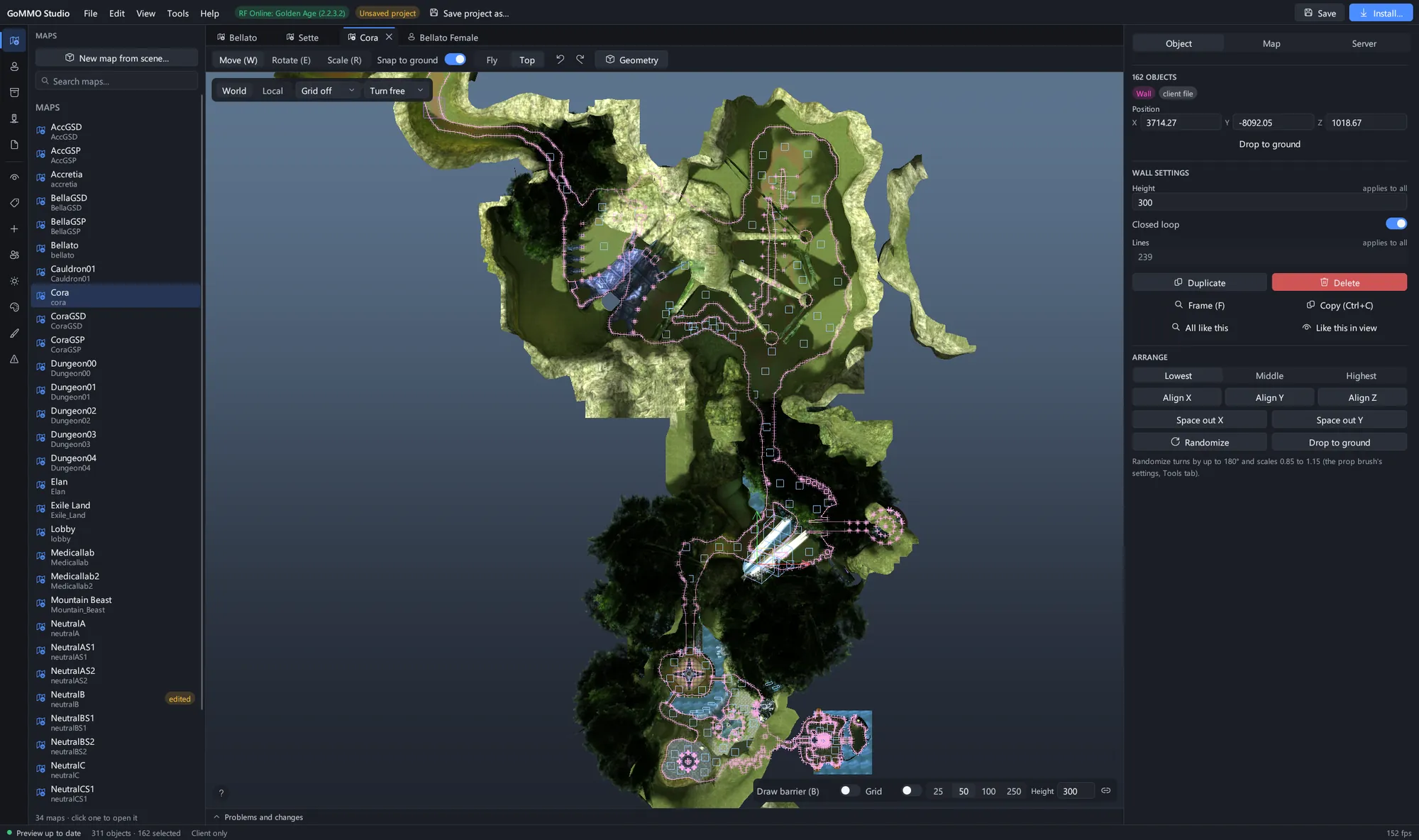 Cora from straight above with every barrier wall selected, for laying out what a player can and cannot walk through.
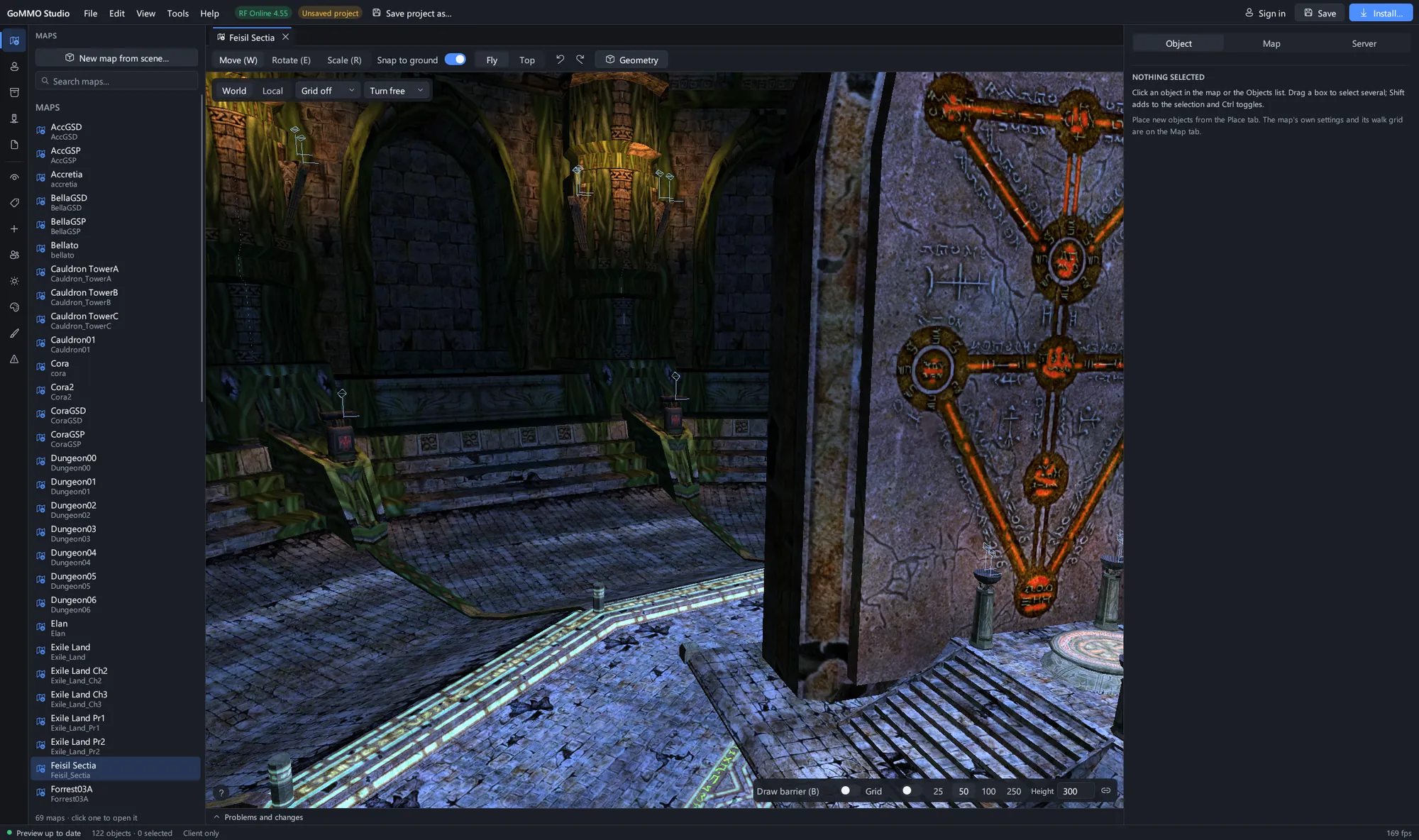 The Feisil Sectia temple from the RF Online 4.55 client, the newest RF client Studio reads.
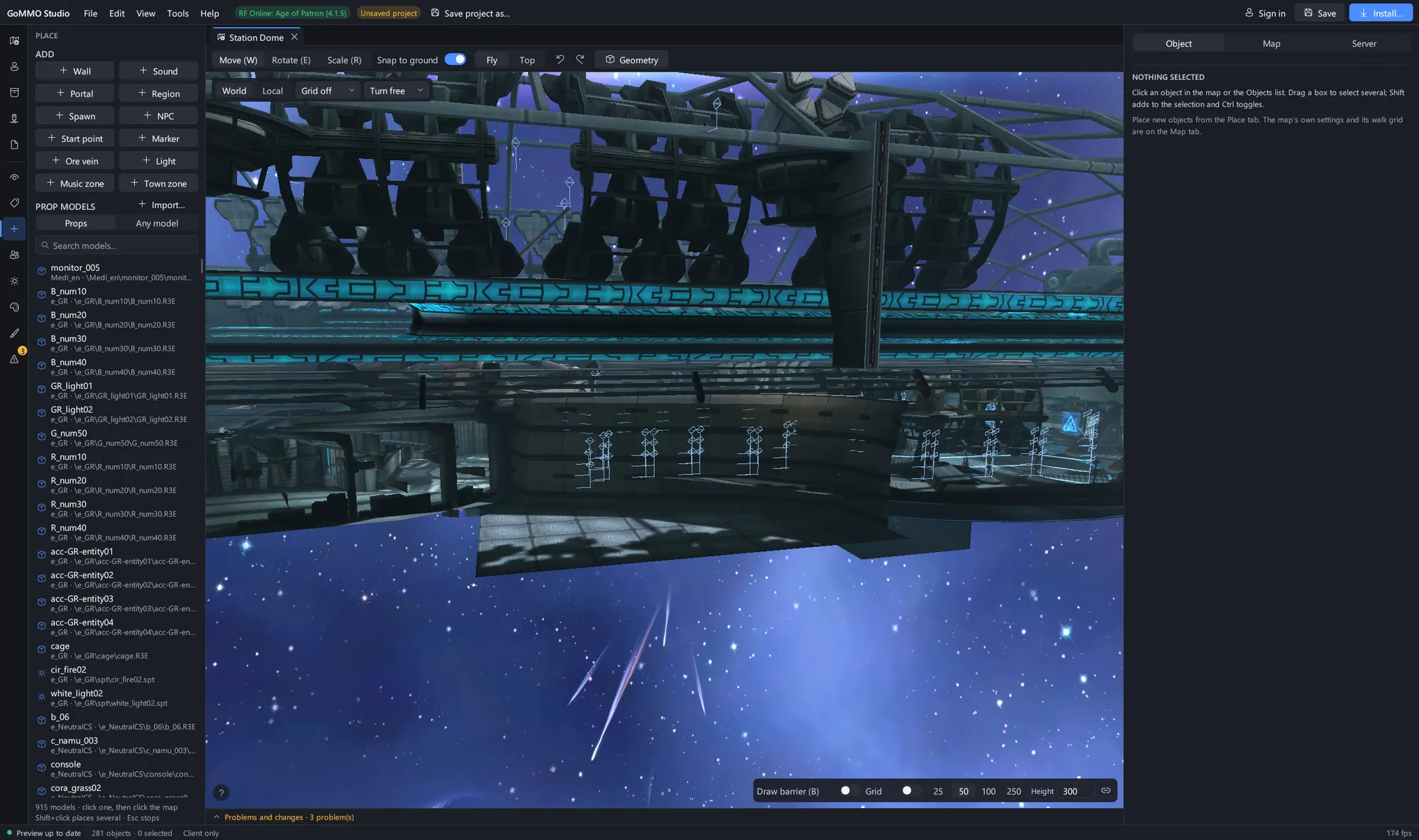 Station Dome from RF Online: Age of Patron with the Place panel open: add walls, portals, spawns, lights and zones, or plant any prop model.
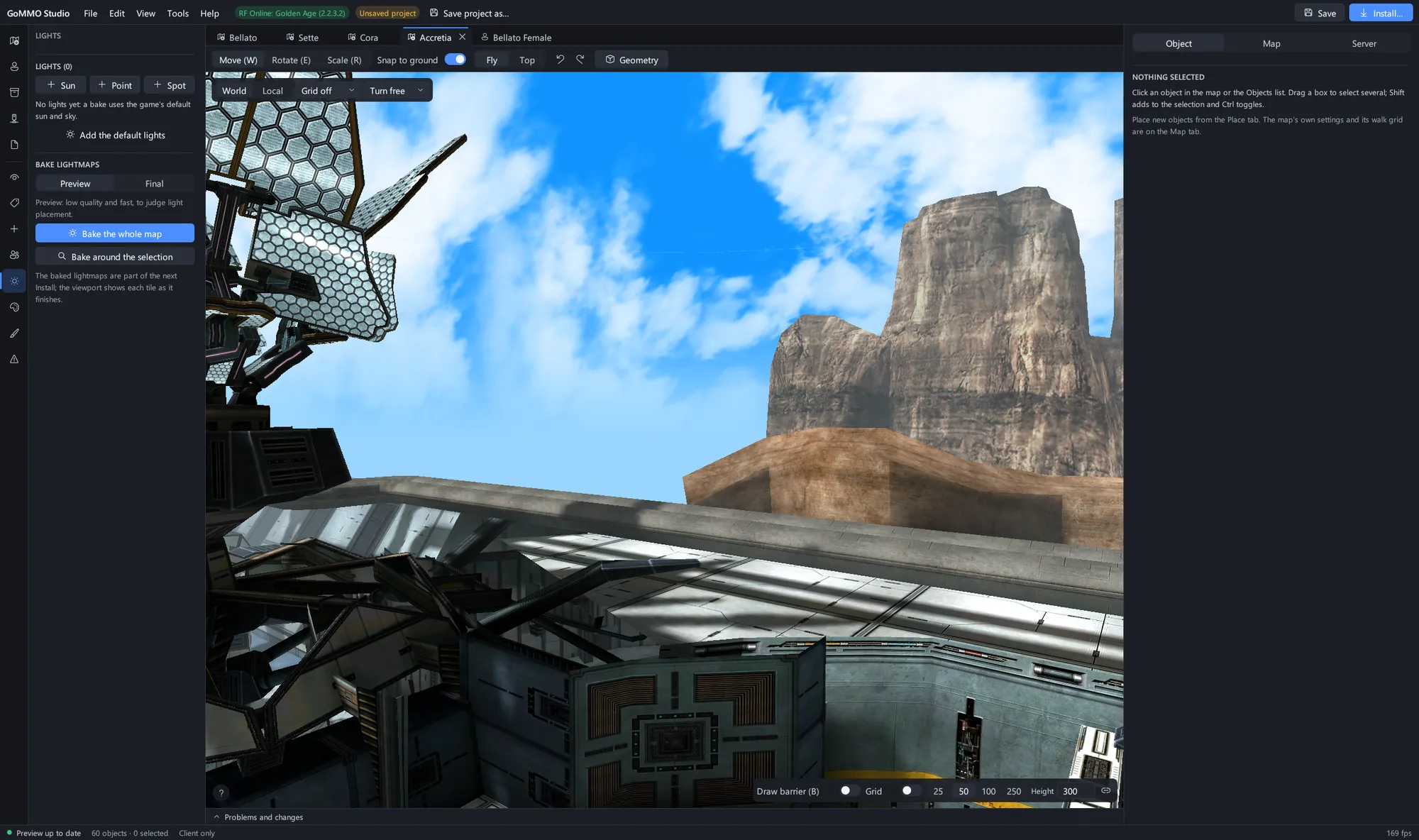 The Accretia base with the Lights panel, ready to bake lightmaps for the whole map or round a selection.
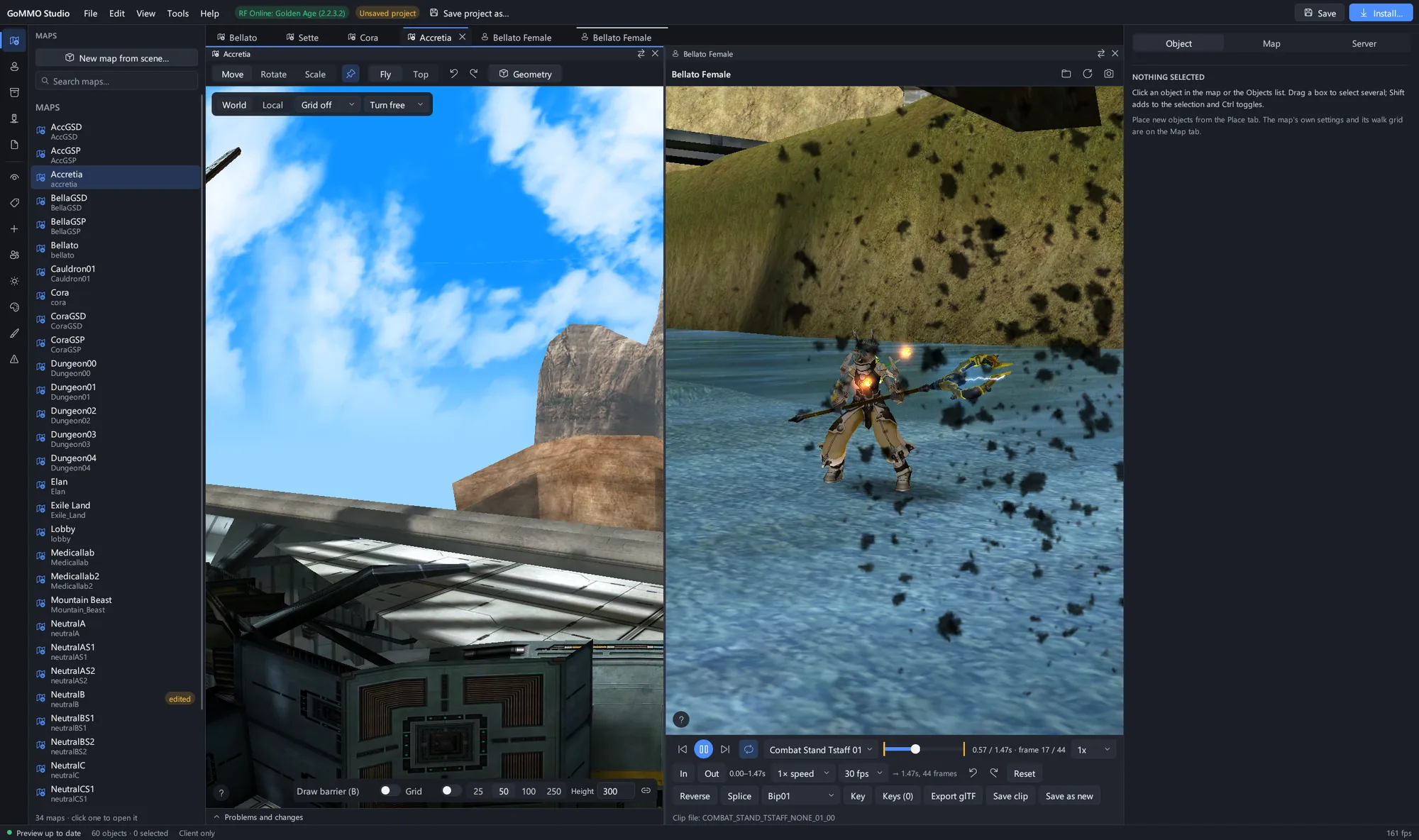 Split view: a map on the left and a model playing Meteor Swarm on the right, each with its own toolbar and camera.
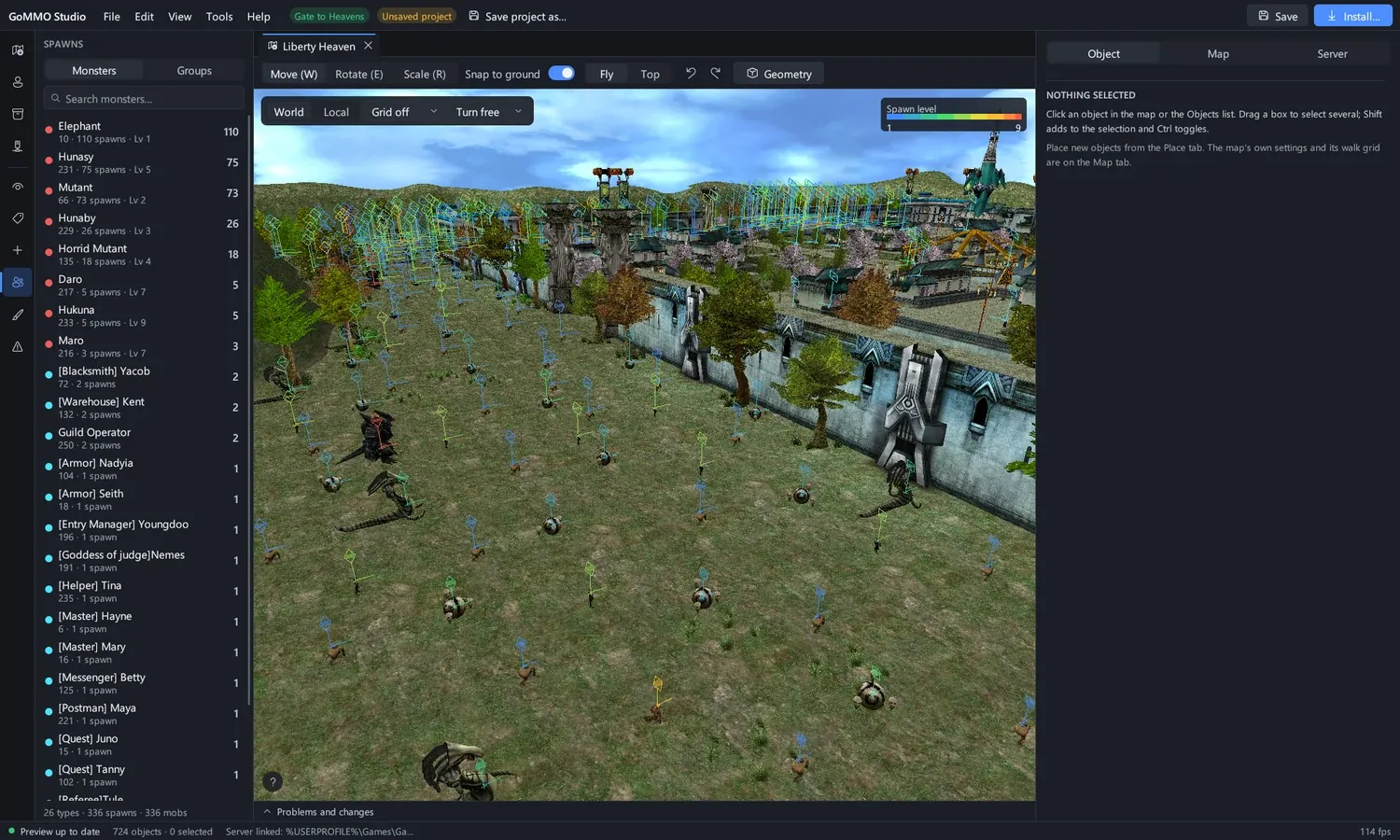 Liberty Heaven in Gate to Heavens with its server linked: every spawn coloured by level, with the monster standing on it.
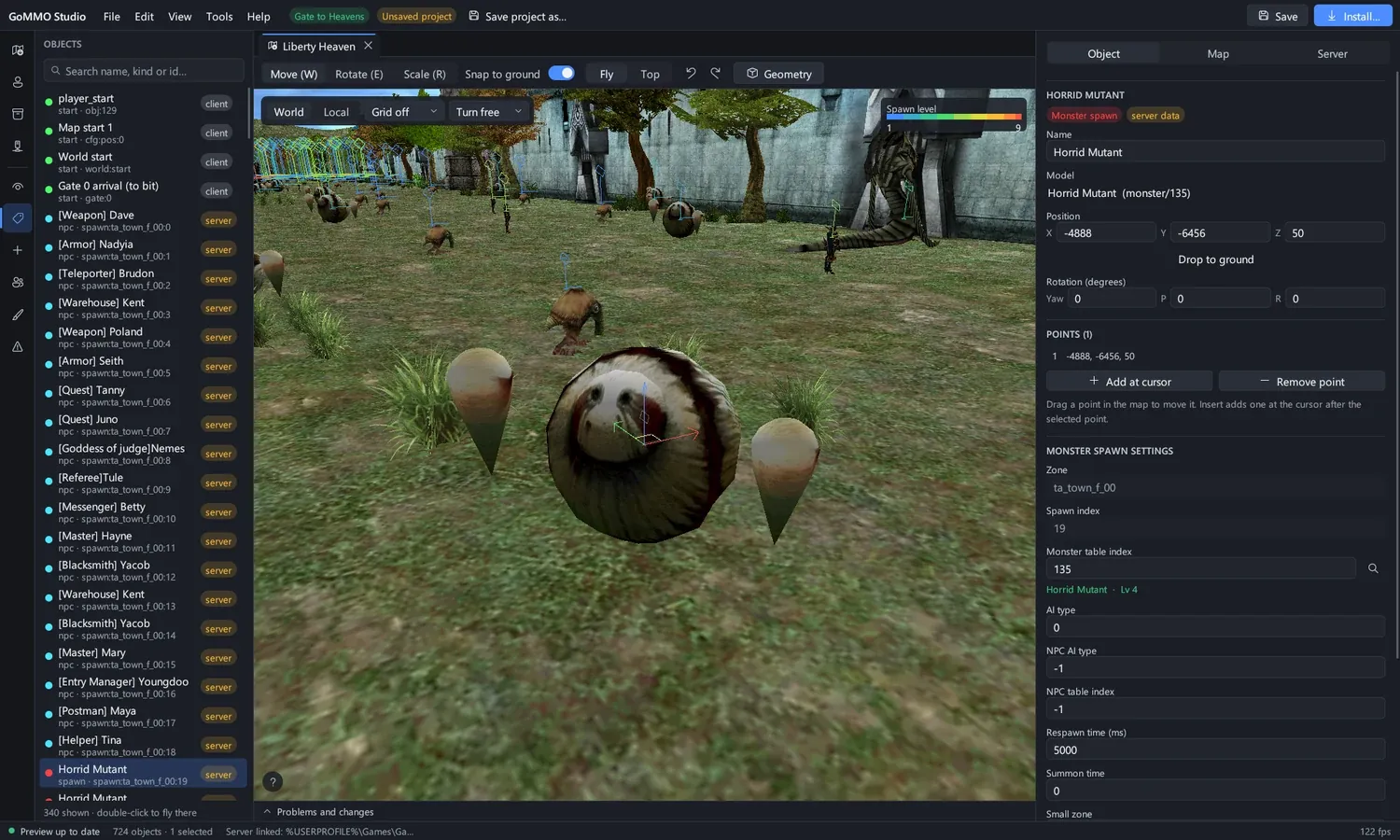 A monster spawn selected: the inspector shows the game's own spawn settings, with the monster picked by name.
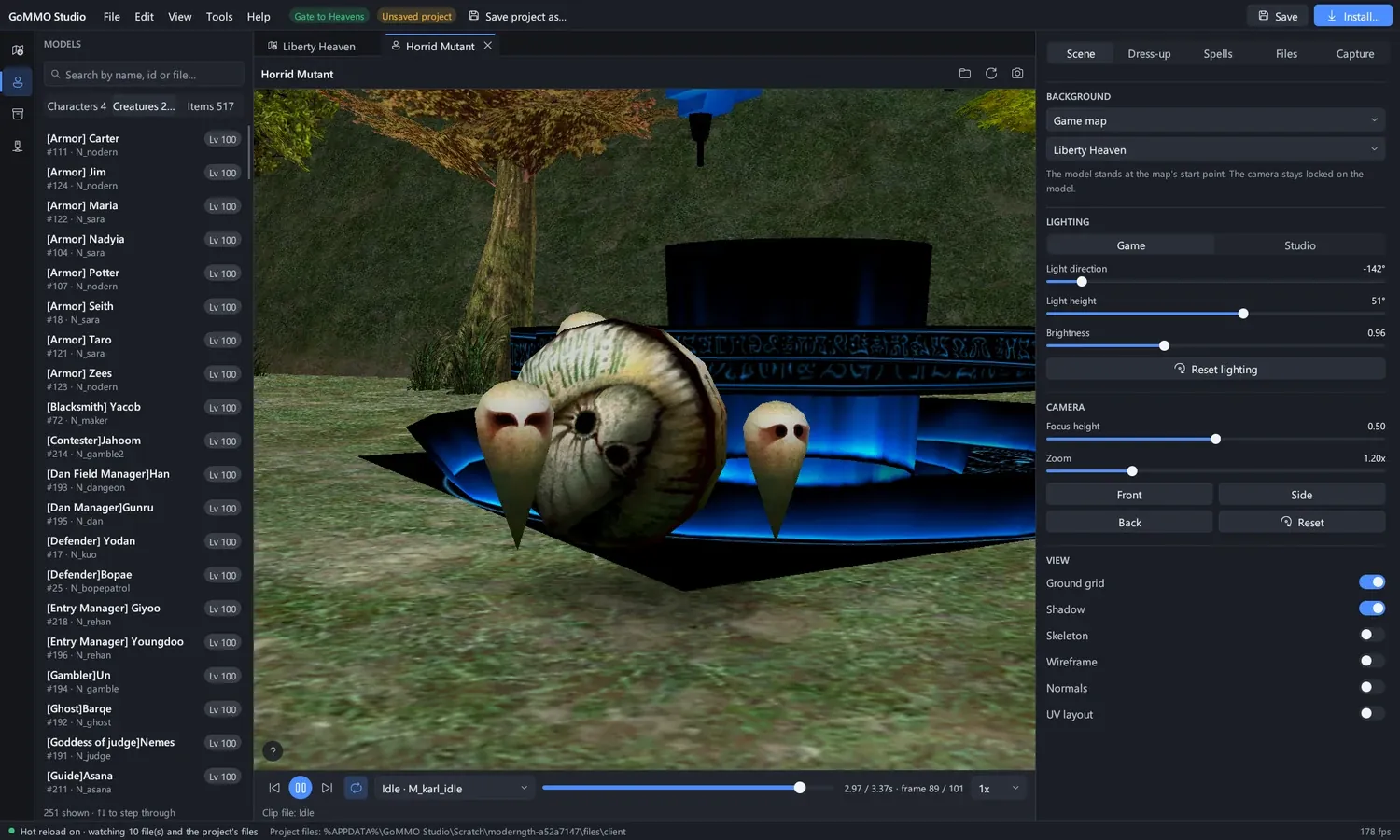 From a spawn on the map to its monster as a model in one click, standing on the map it lives on.
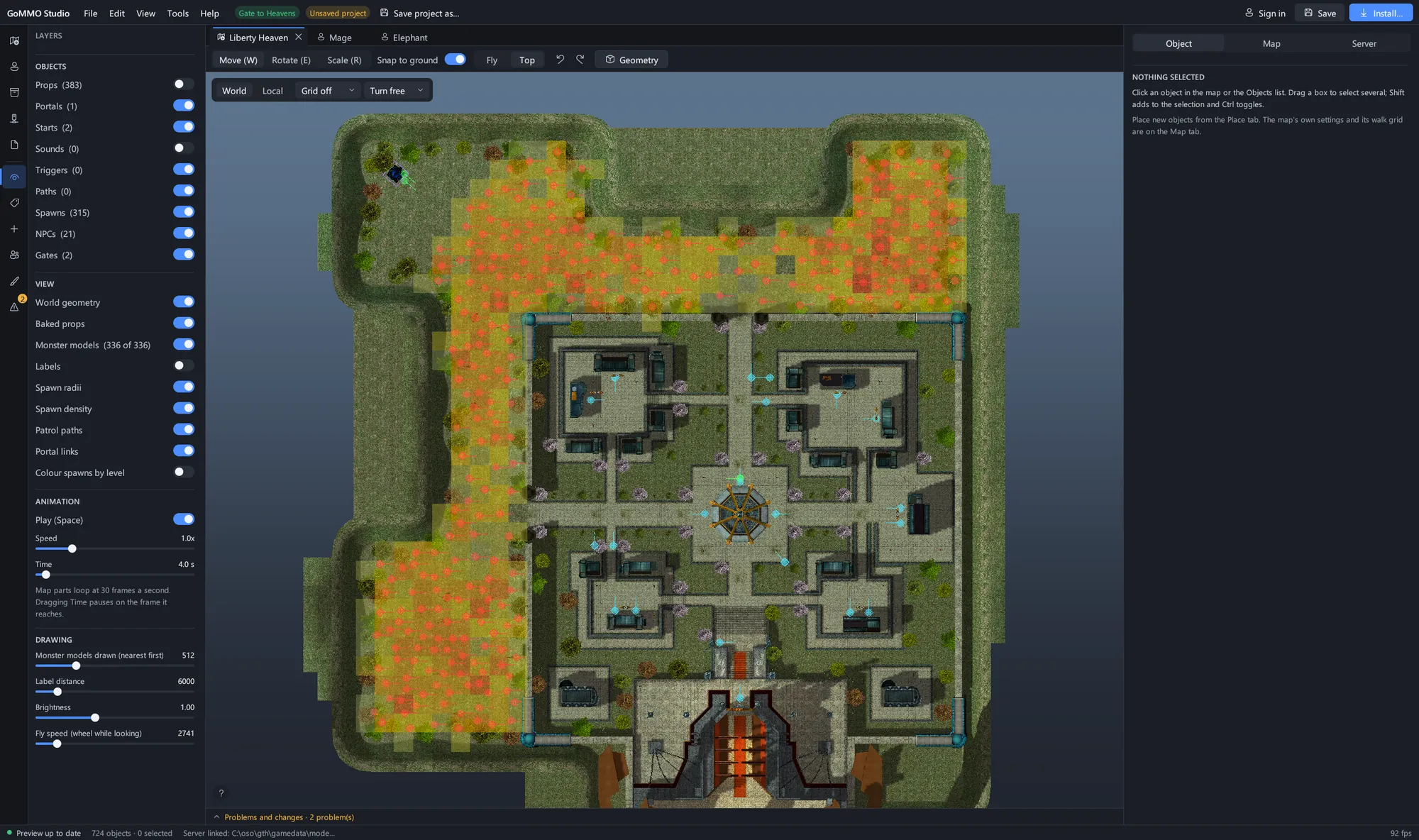 Liberty Heaven from above with spawn density, spawn radii and patrol paths on.
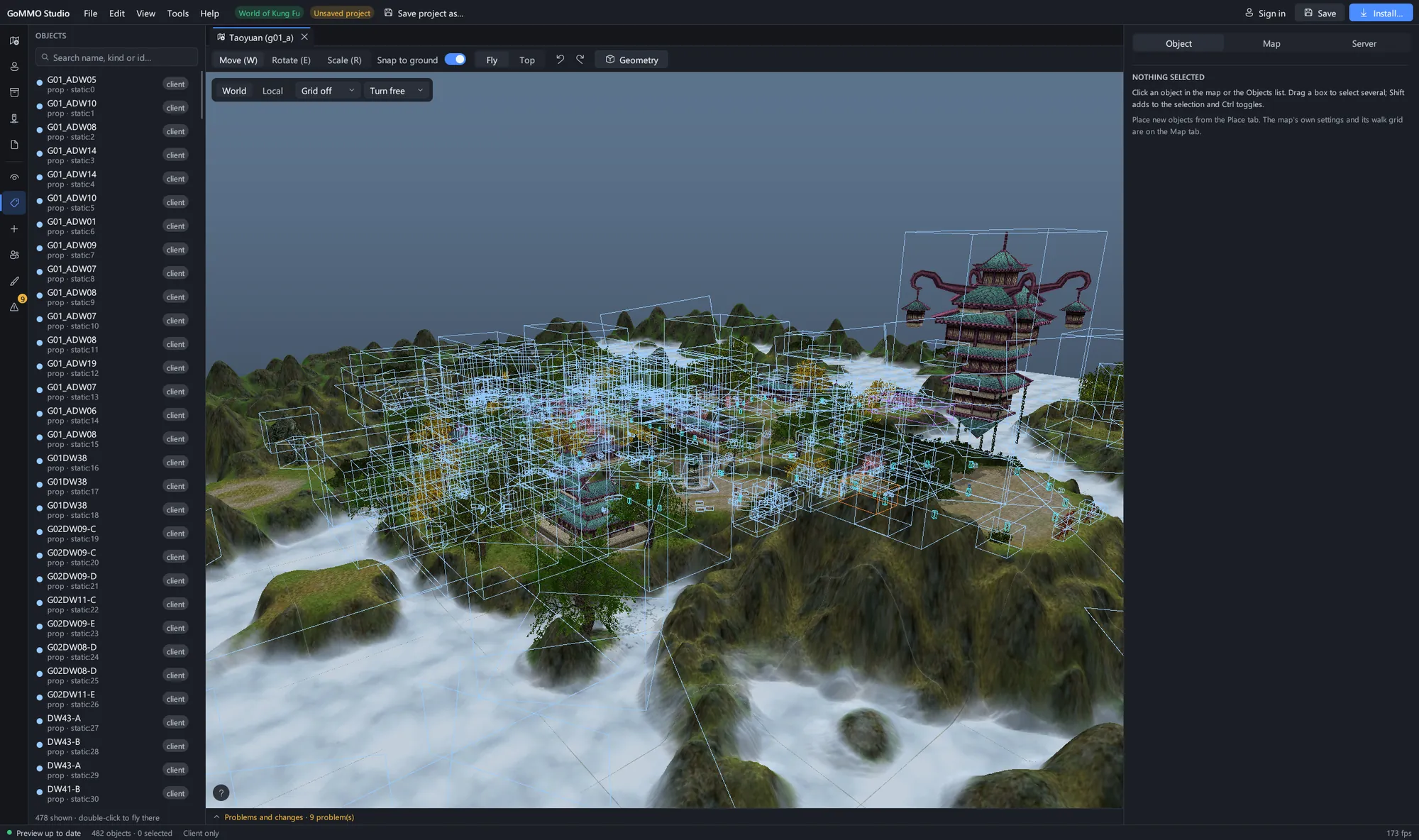 Taoyuan in World of Kung Fu: the floating village above the clouds, with its objects listed beside it.
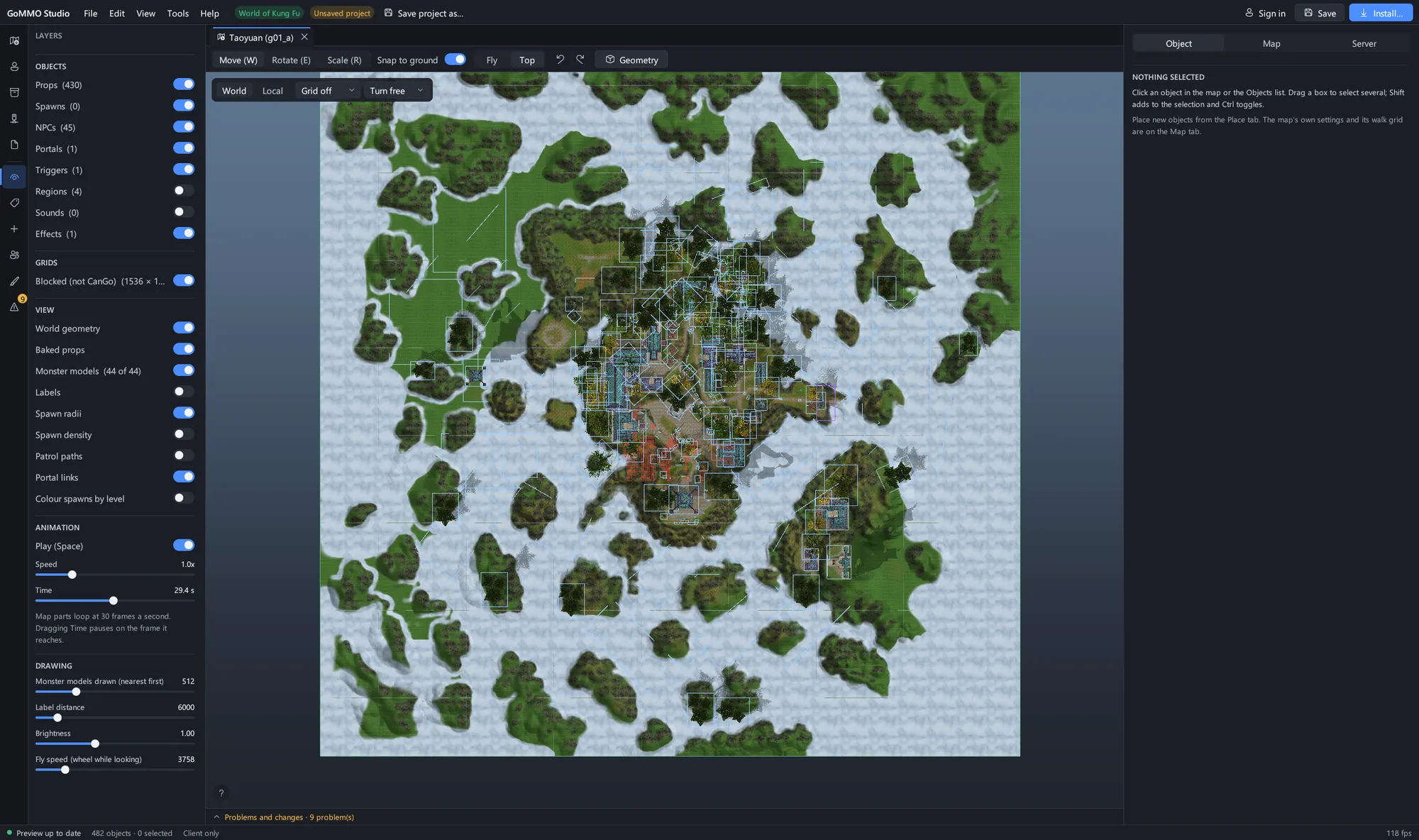 The whole of Taoyuan from above with its walk grid painted over the terrain.
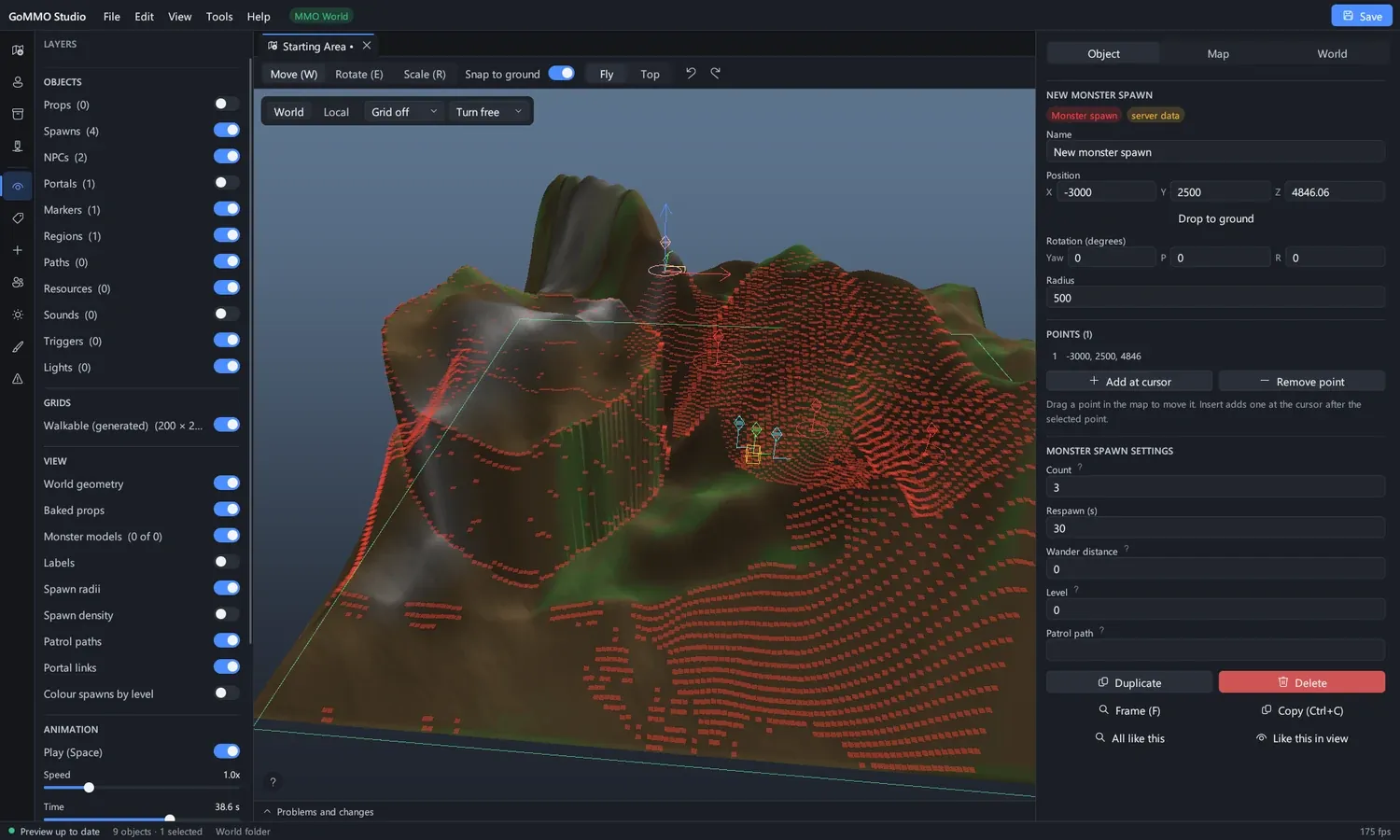 An MMO World map built from a heightmap, with its walkable area generated from the terrain.
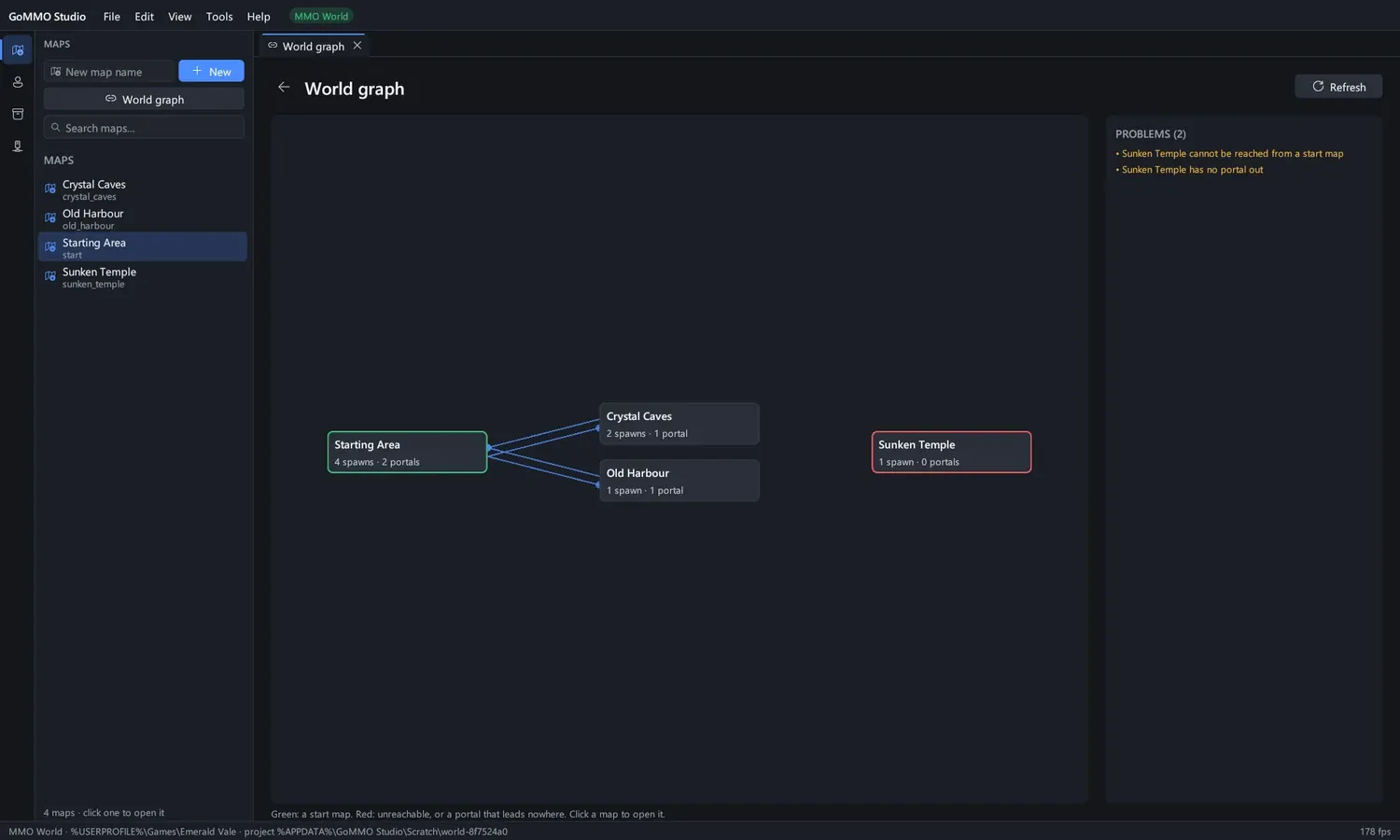 The world graph of an MMO World: which maps lead where, and which map nobody can reach.
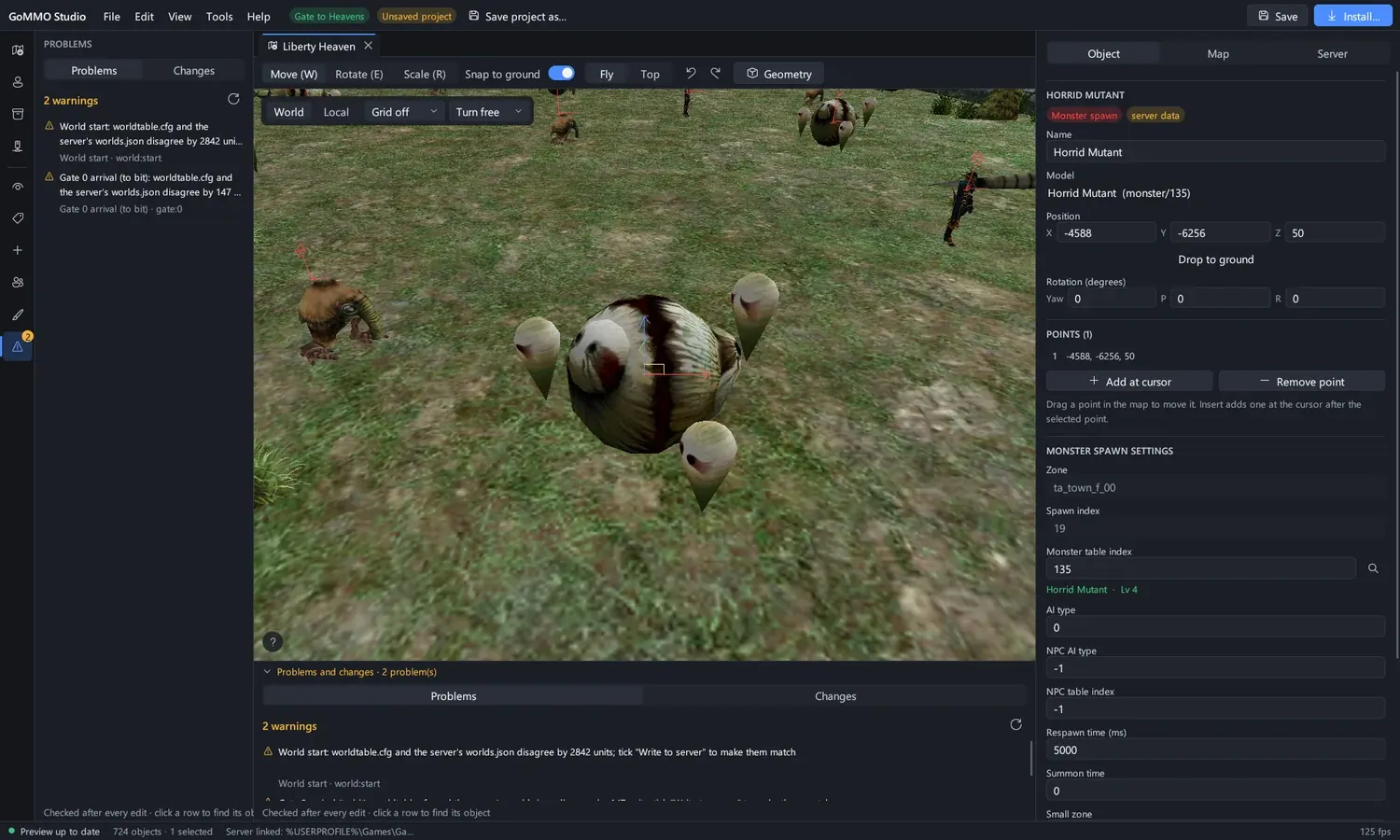 The problems and changes dock under the map, checked after every edit.
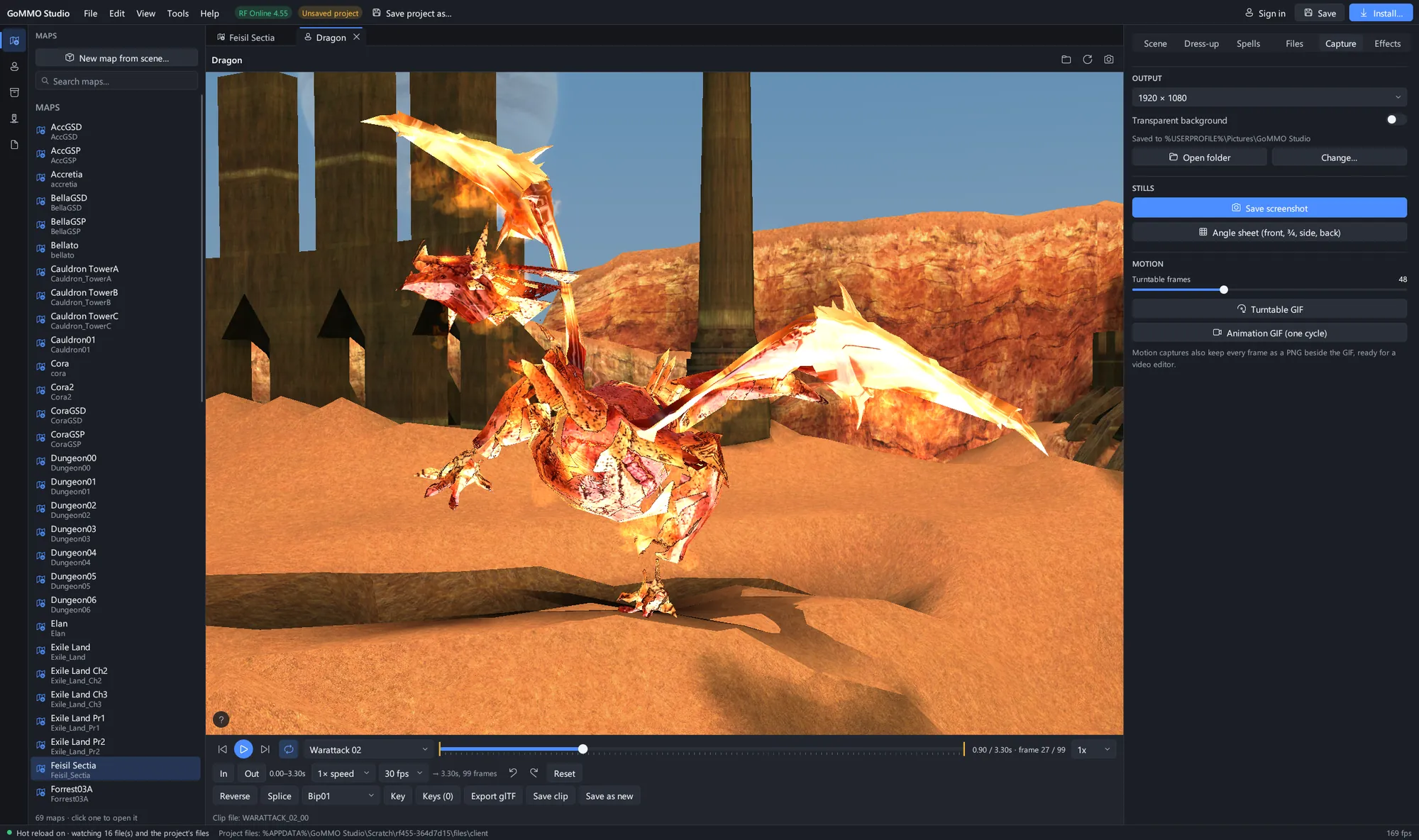 An RF Online 4.55 Dragon rearing in Sette, frozen mid-attack, with the Capture tab ready for a still, a four-view sheet or a turntable GIF.
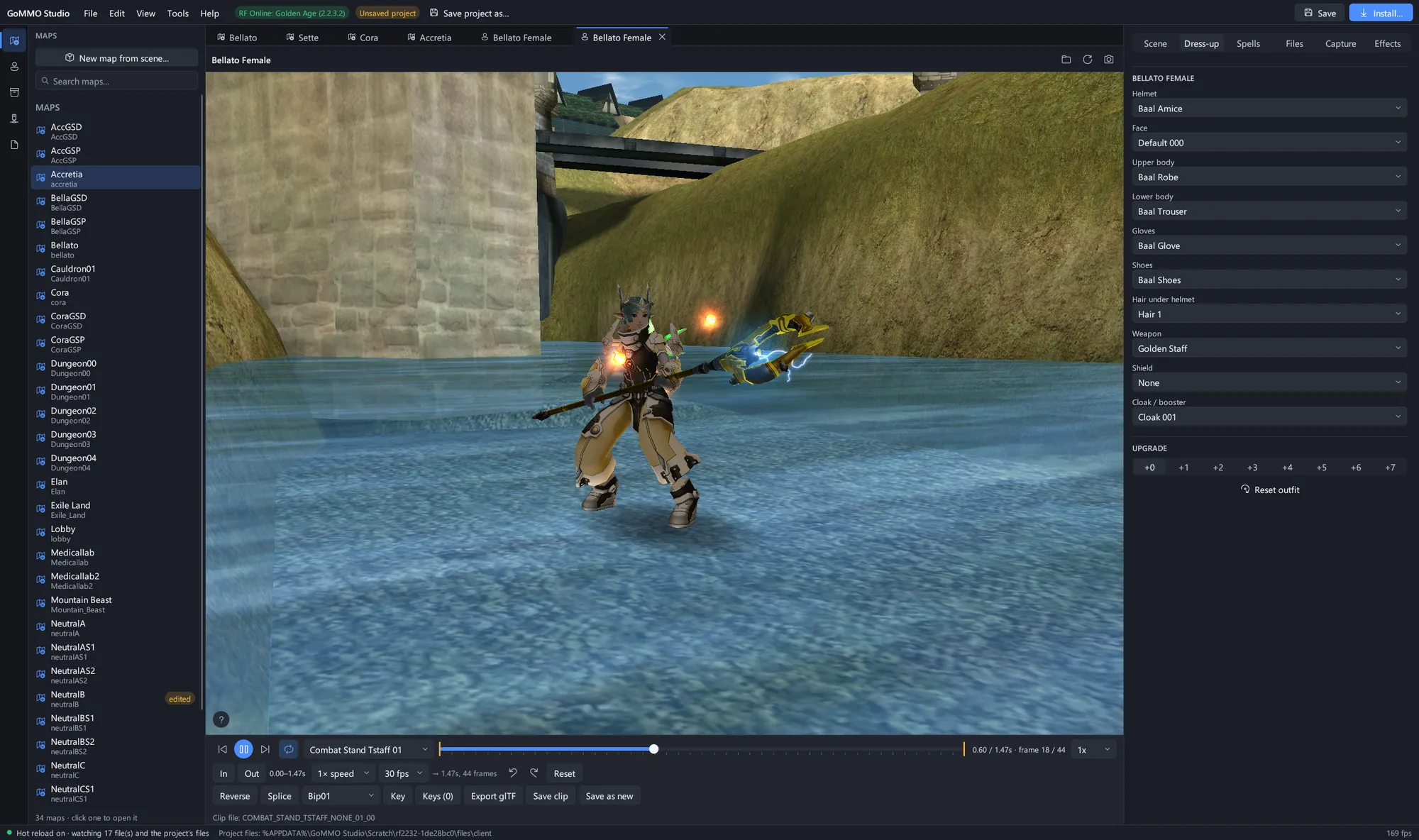 Dress-up on a Bellato: the Baal set, a Golden Staff and a cloak, picked by the names the game gives them, standing in Bellato.
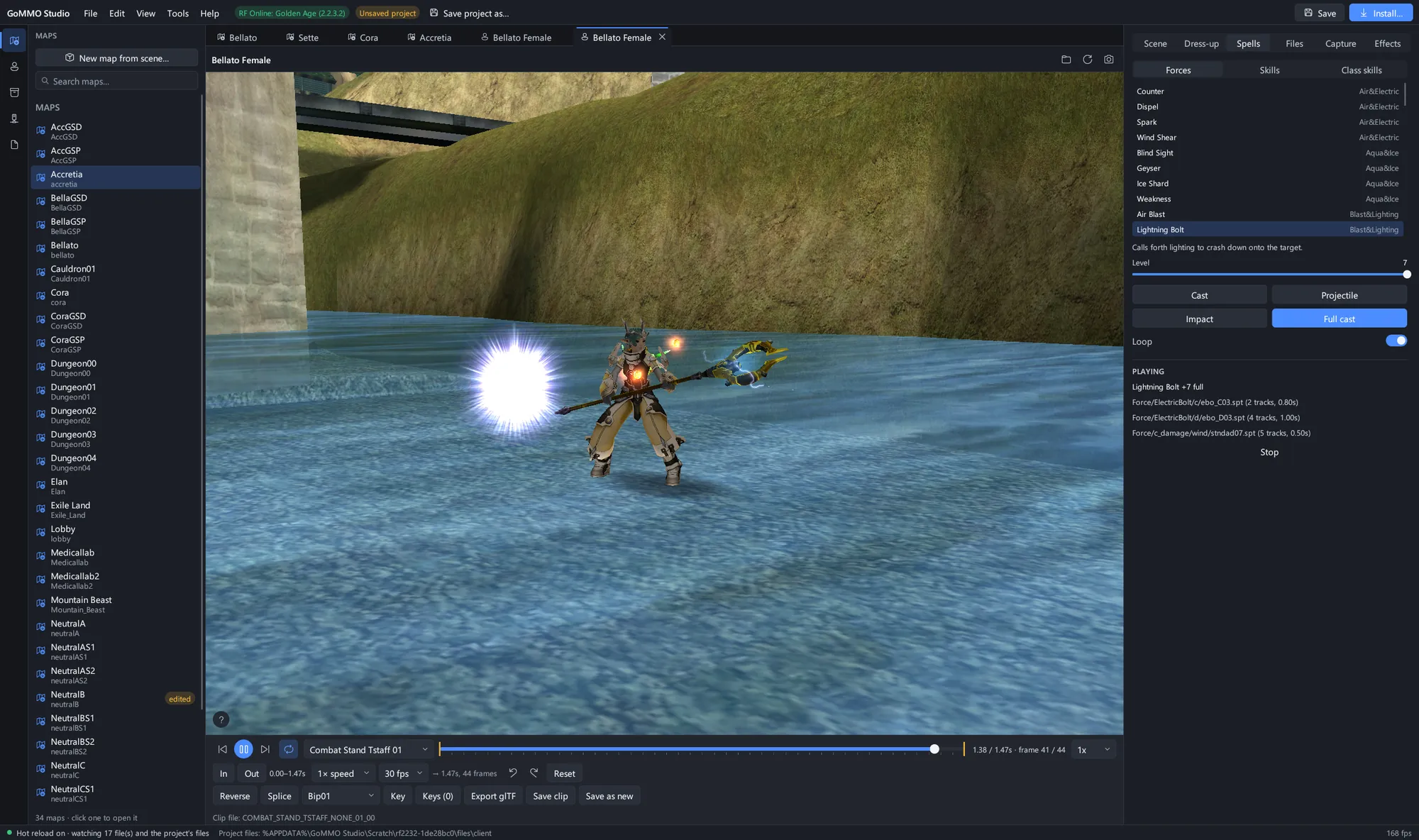 Lightning Bolt cast at level 7, played from the client's own effect scripts.
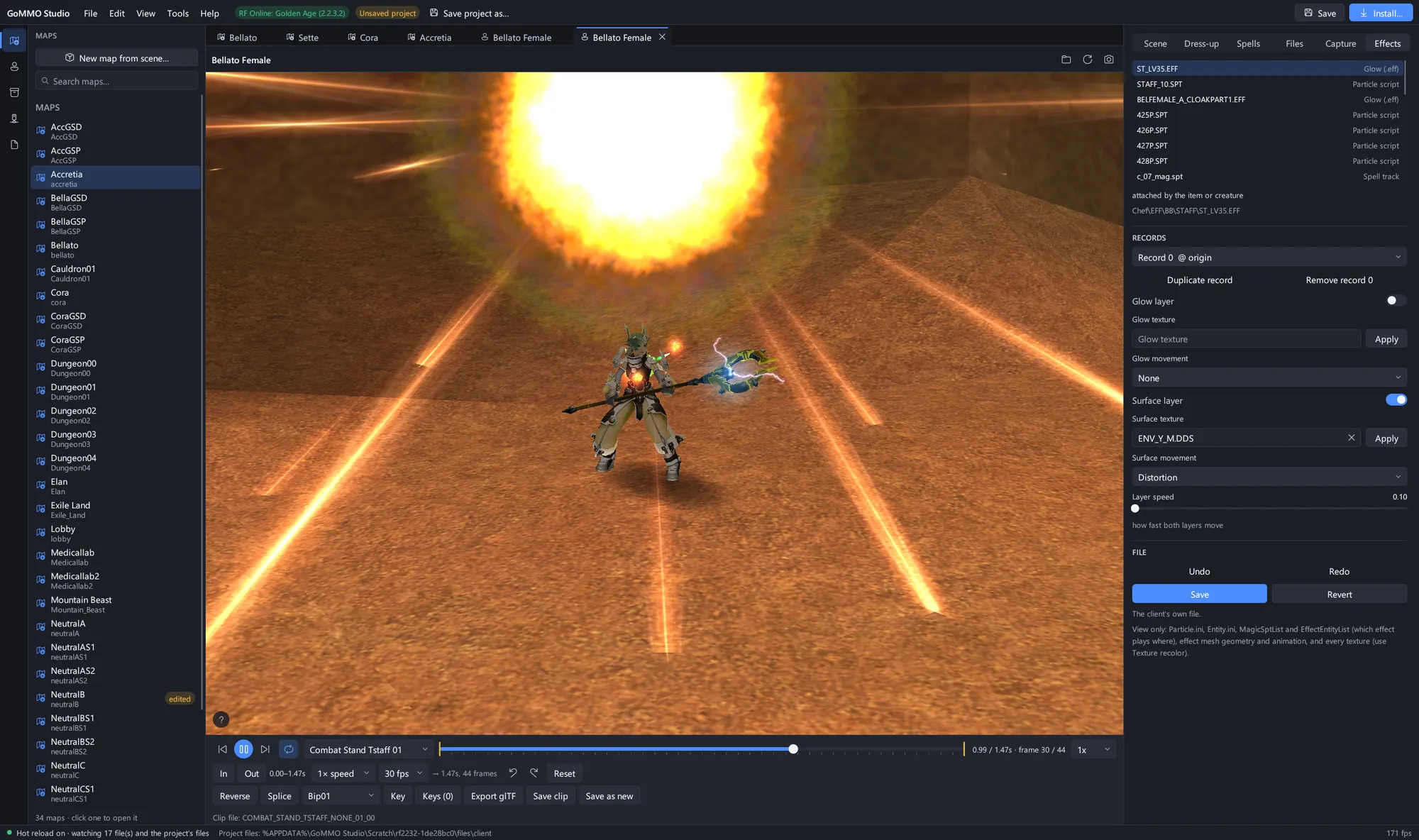 Solar Blade at level 7 with the Effects tab open on its particle records: change a value and the effect plays it at once.
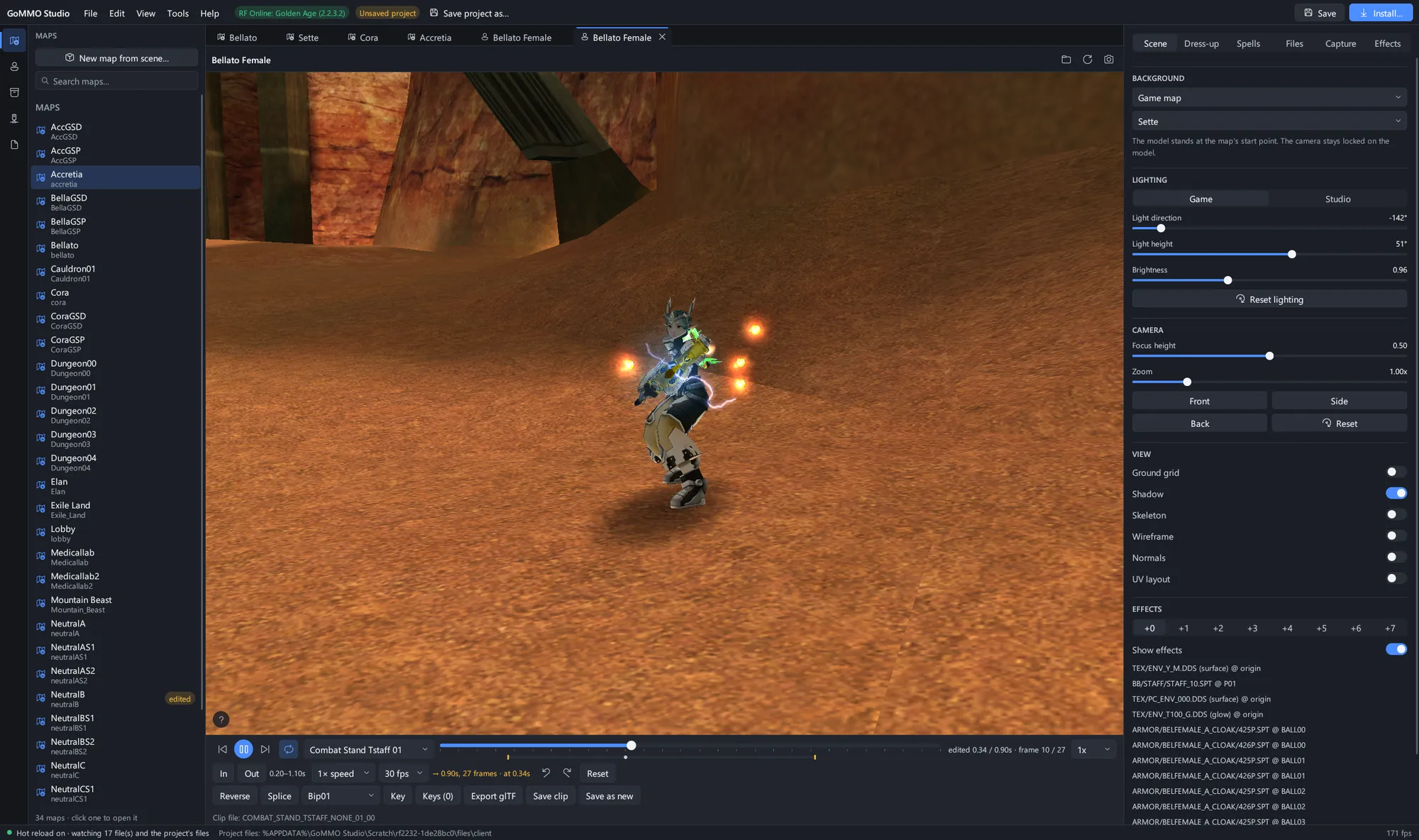 A combat stance trimmed in the clip editor: set the in and out points, change the speed, splice or key bones, and save it in the game's own format.
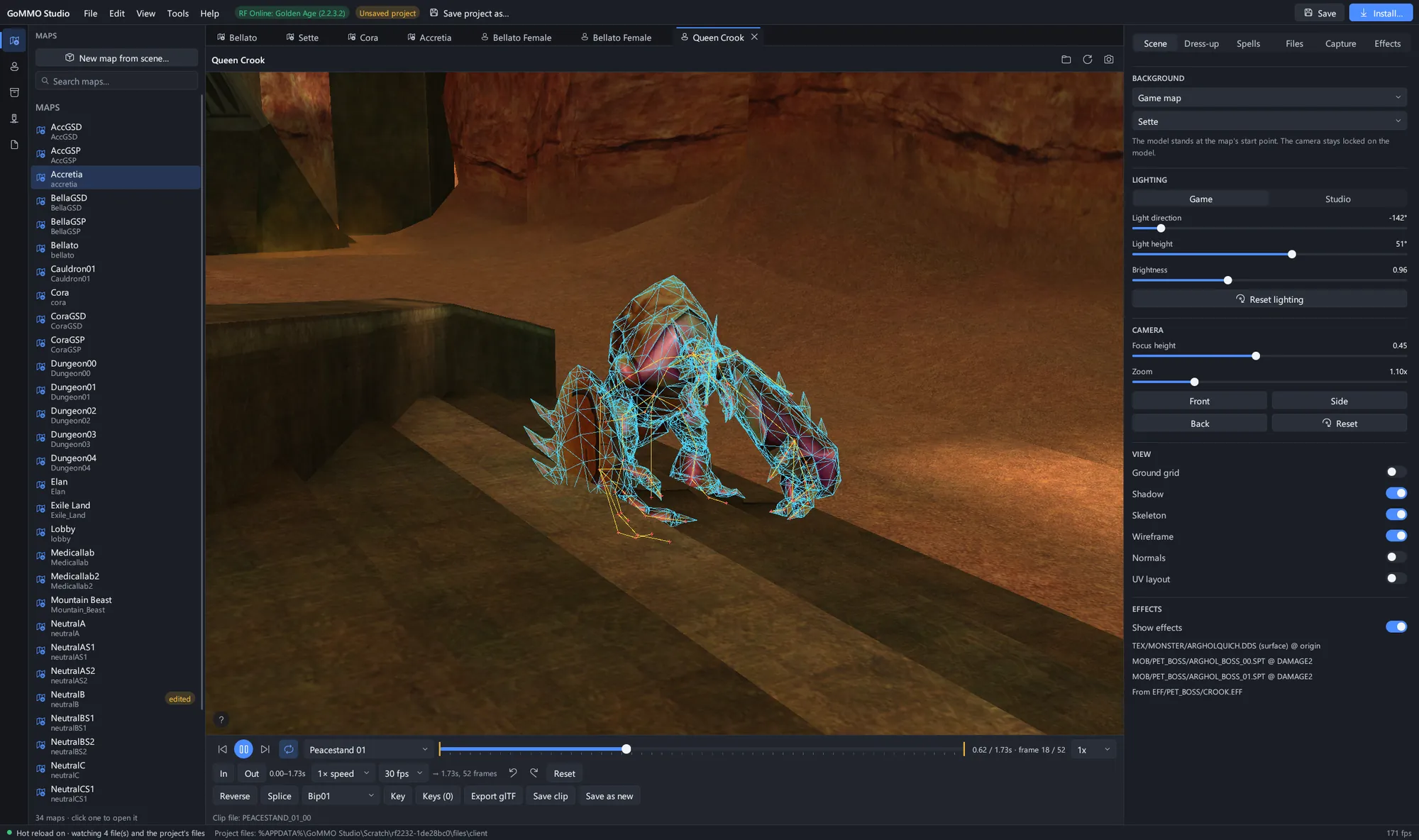 A Queen Crook in Sette with its skeleton and wireframe drawn over the mesh.
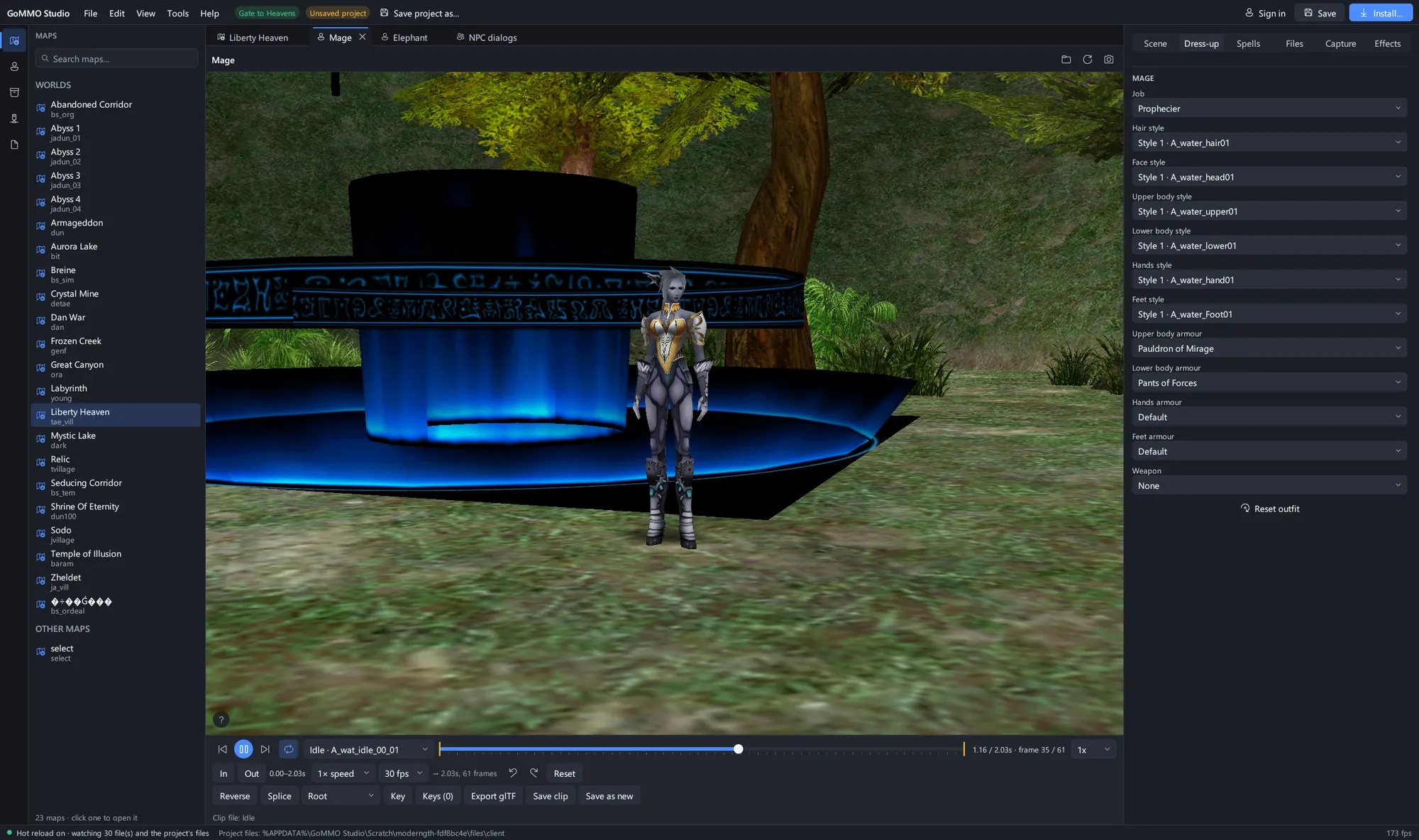 A Gate to Heavens Prophecier in Pauldron of Mirage, with every style and armour slot the class offers.
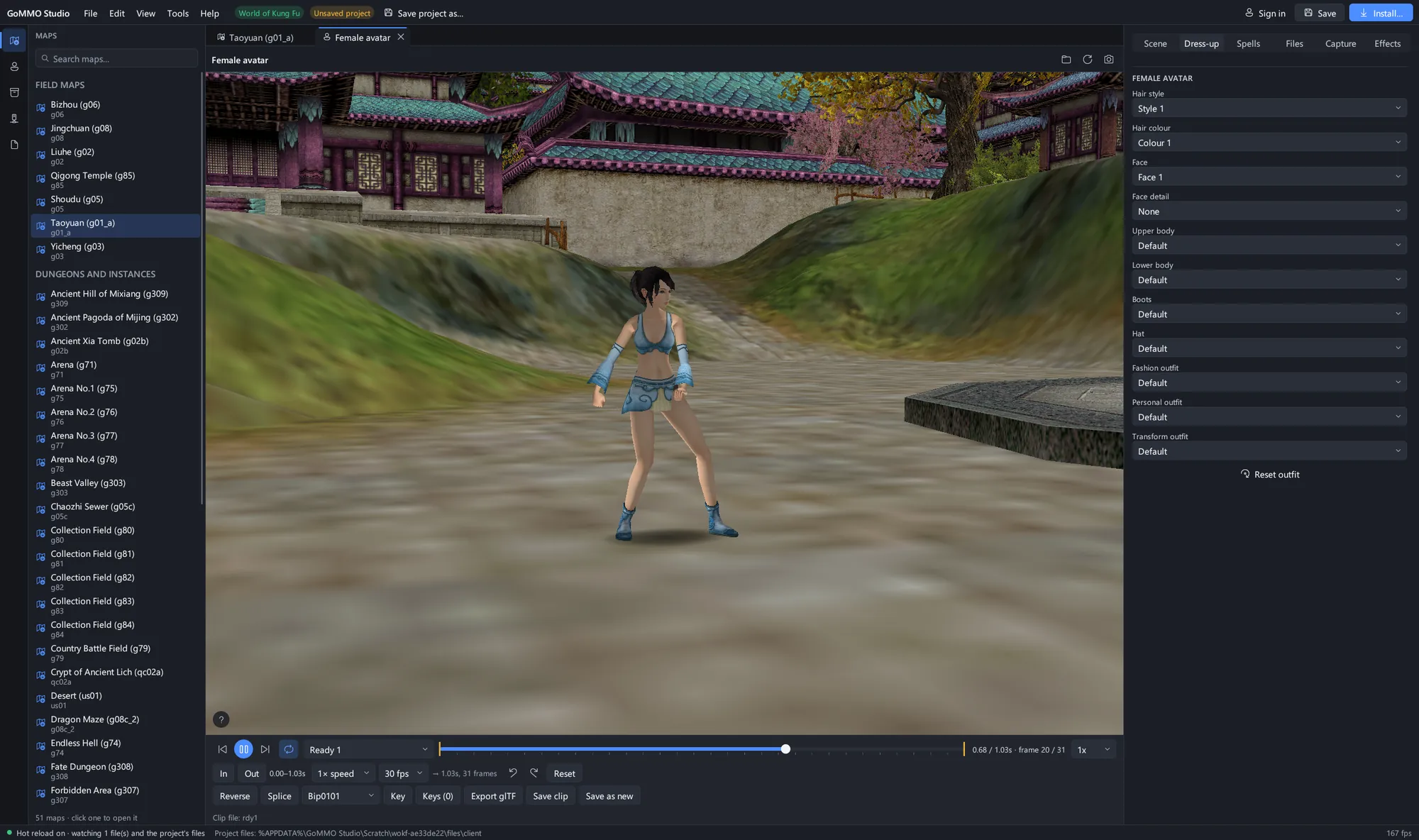 A World of Kung Fu avatar standing in Taoyuan, with the dress-up slots the game offers.
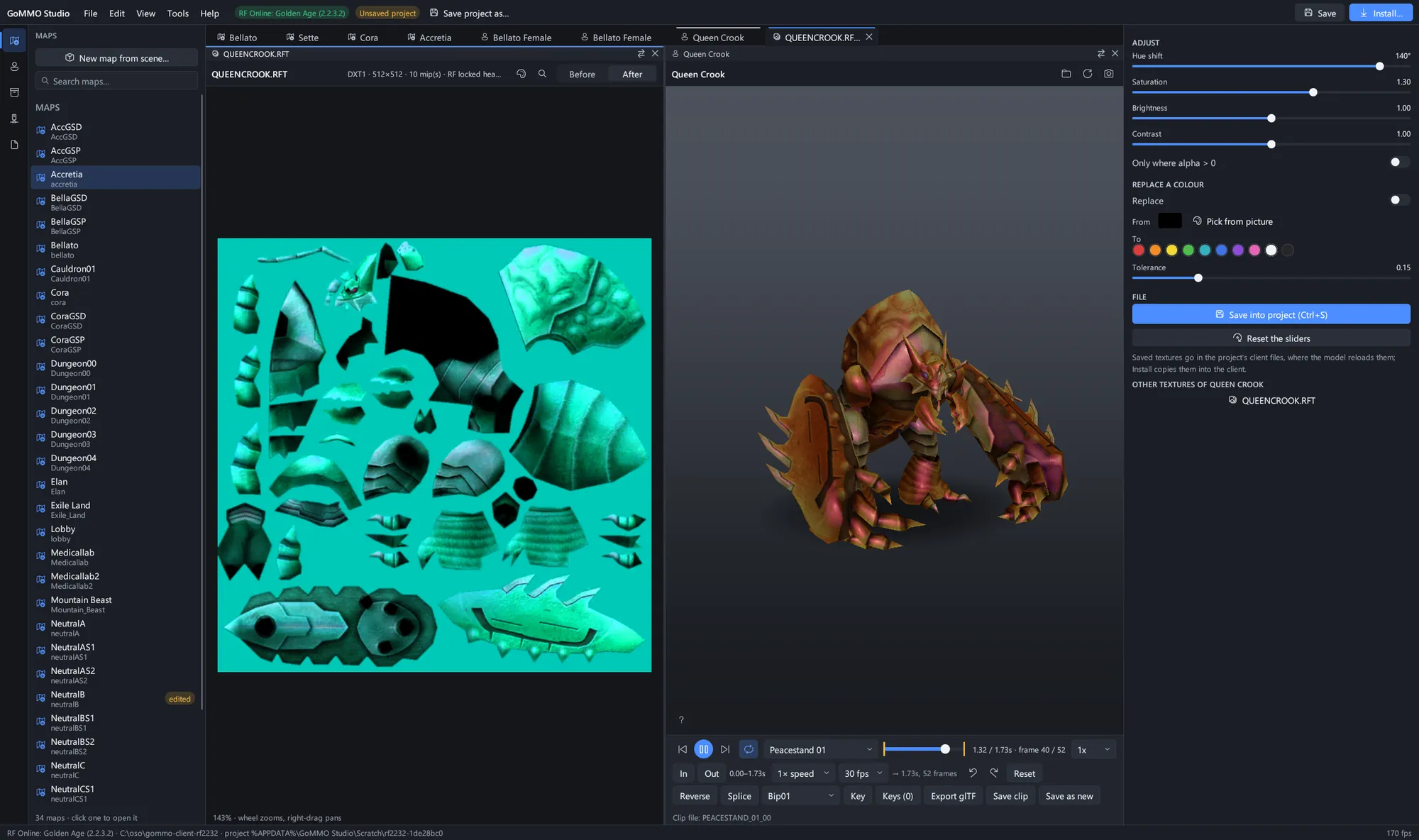 The texture recolour document beside its model: shift hue, saturation, brightness and contrast or swap a colour, then save it into the project and the model reloads.
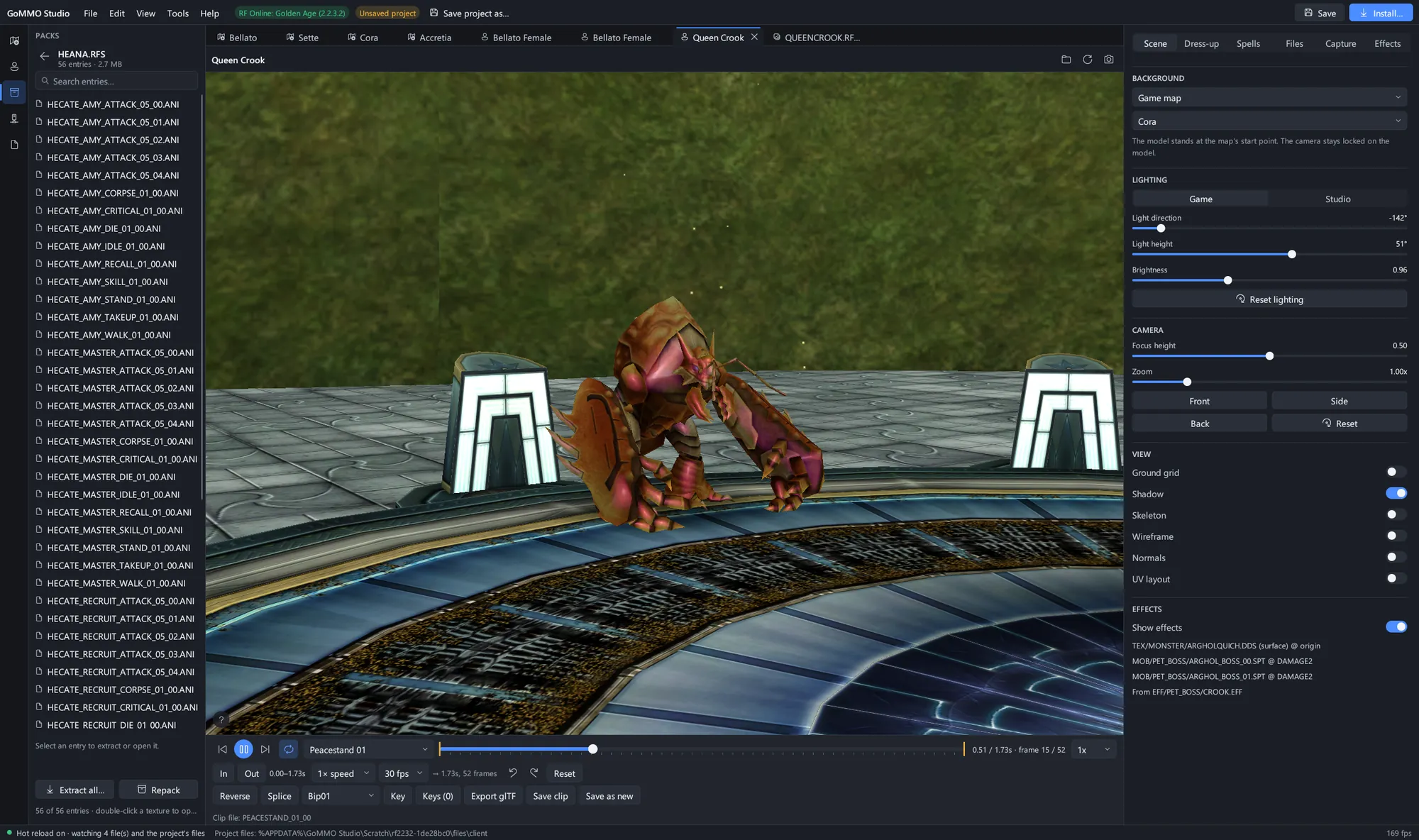 The Packs panel browsing an RF animation archive beside the model that uses it.
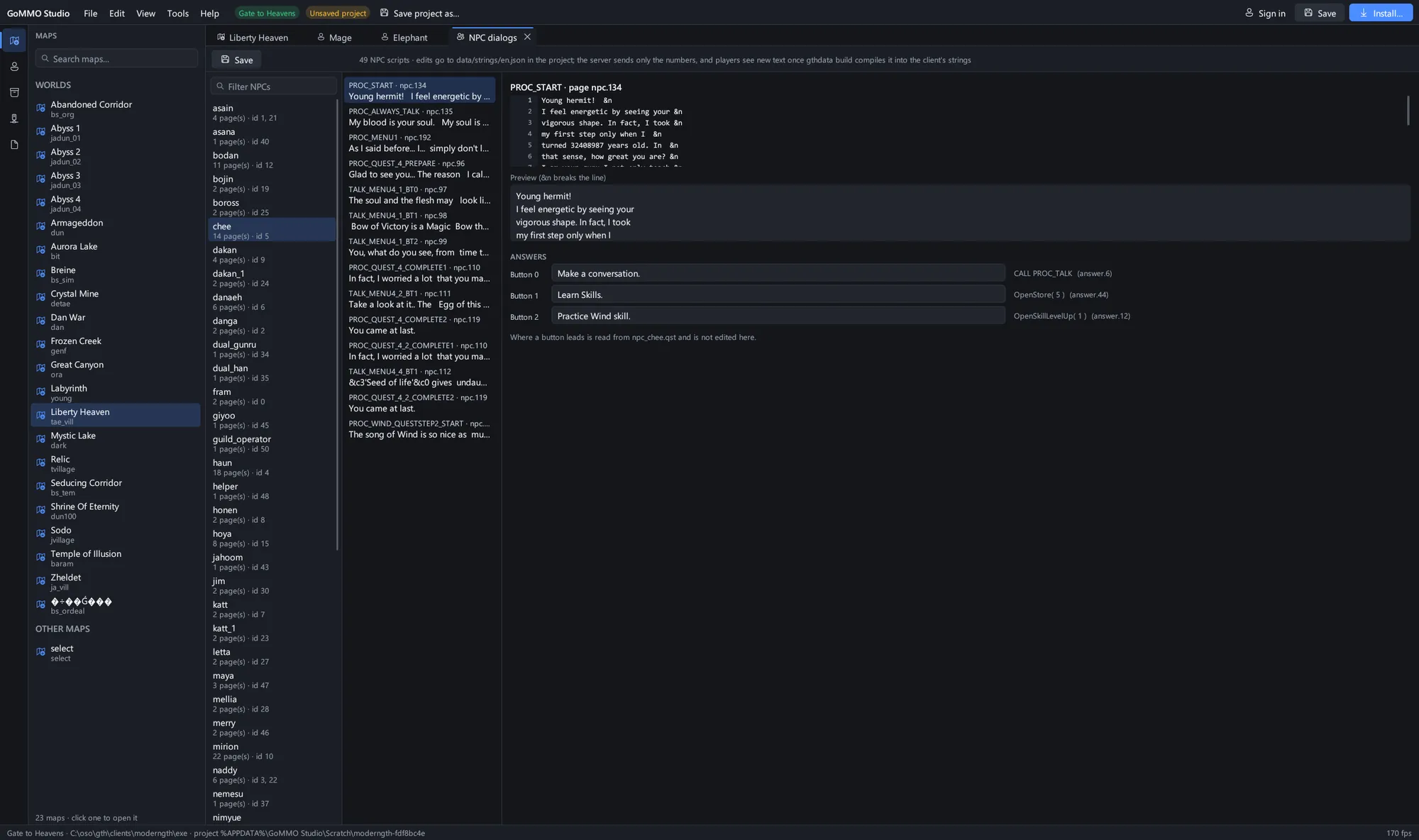 The NPC dialog editor for Gate to Heavens: every page and answer of an NPC's conversation, and where each answer leads.
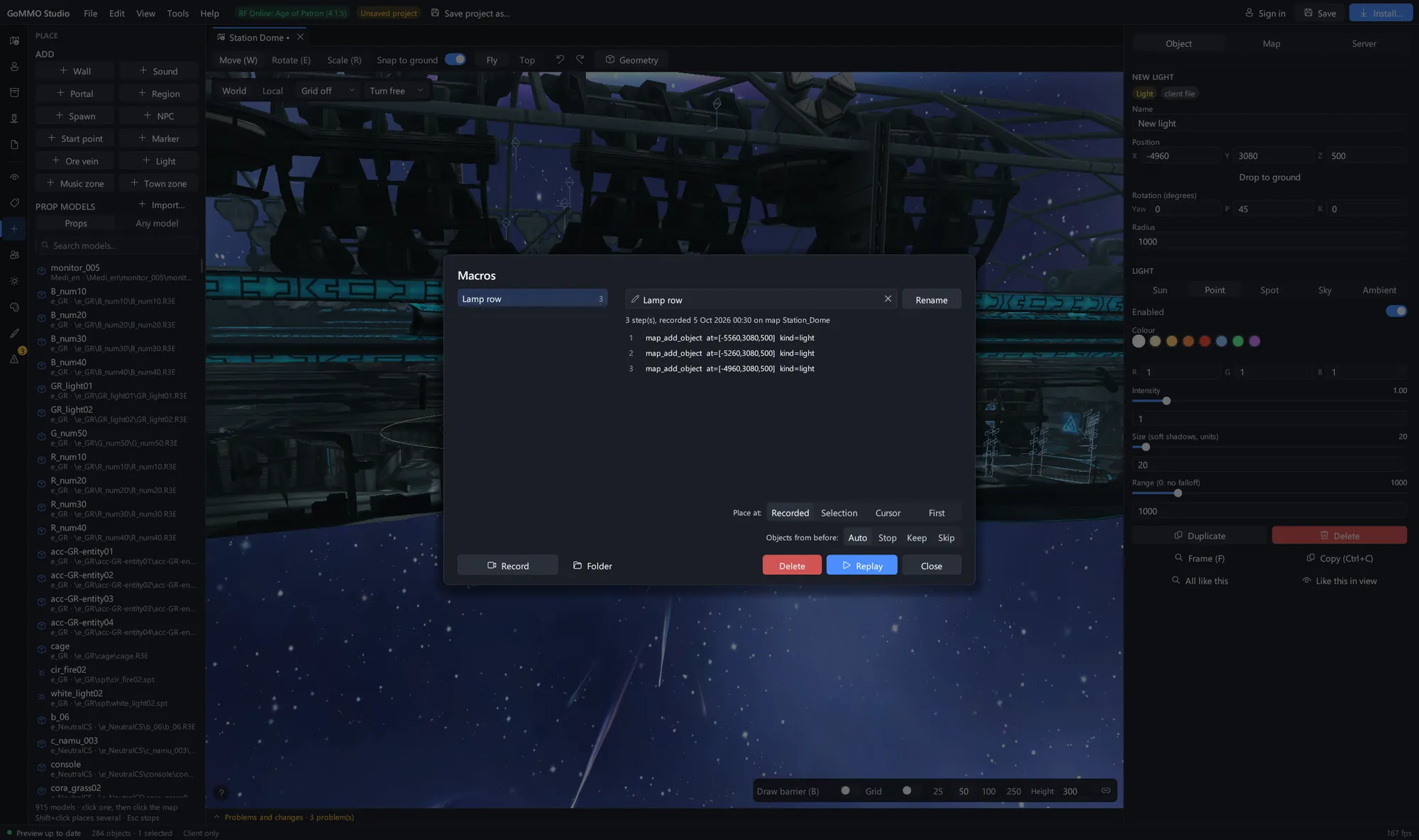 A macro recorded from map edits, ready to replay at its recorded place, the selection or the cursor.
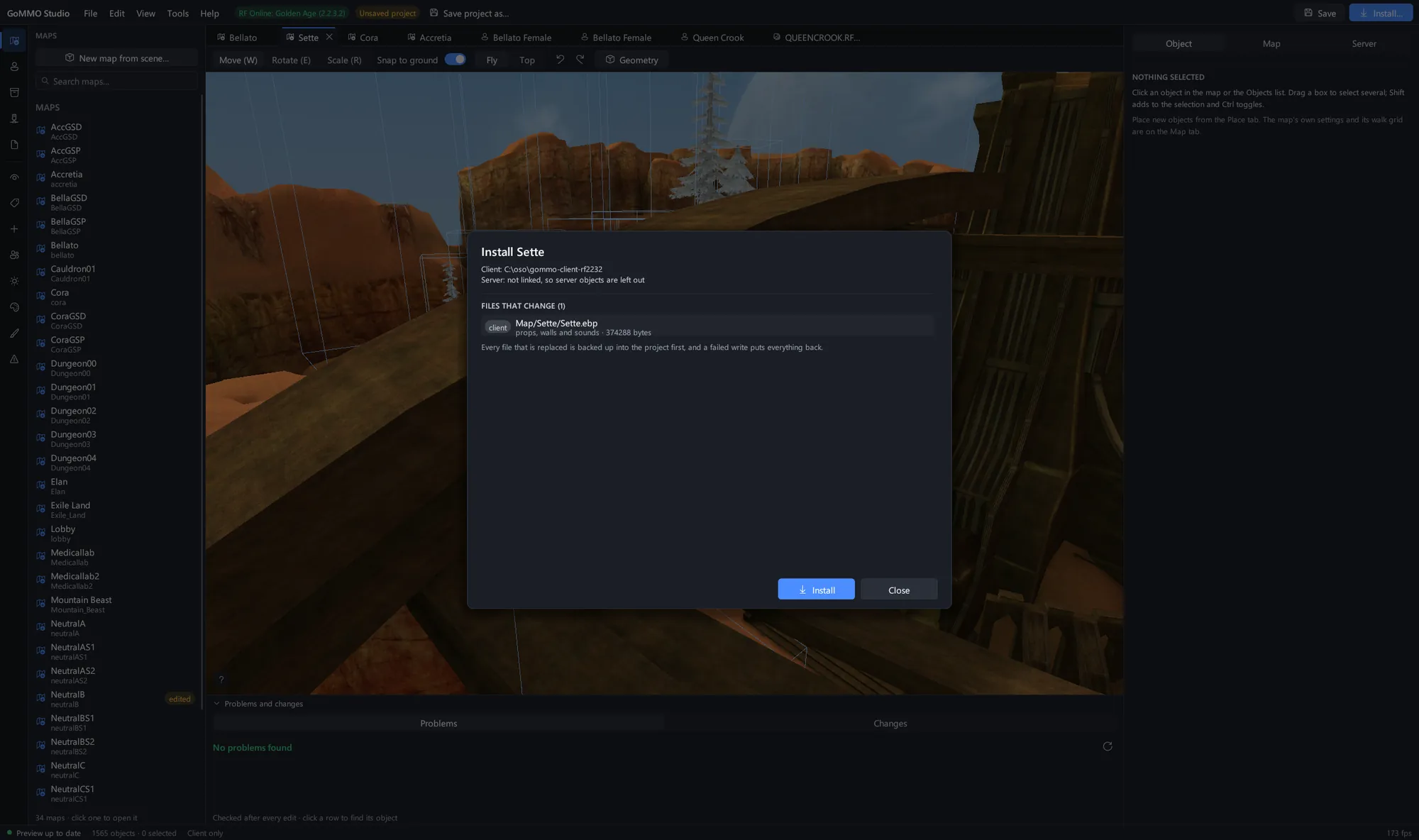 Install lists every file that changes before it writes anything, and backs up each one it replaces.
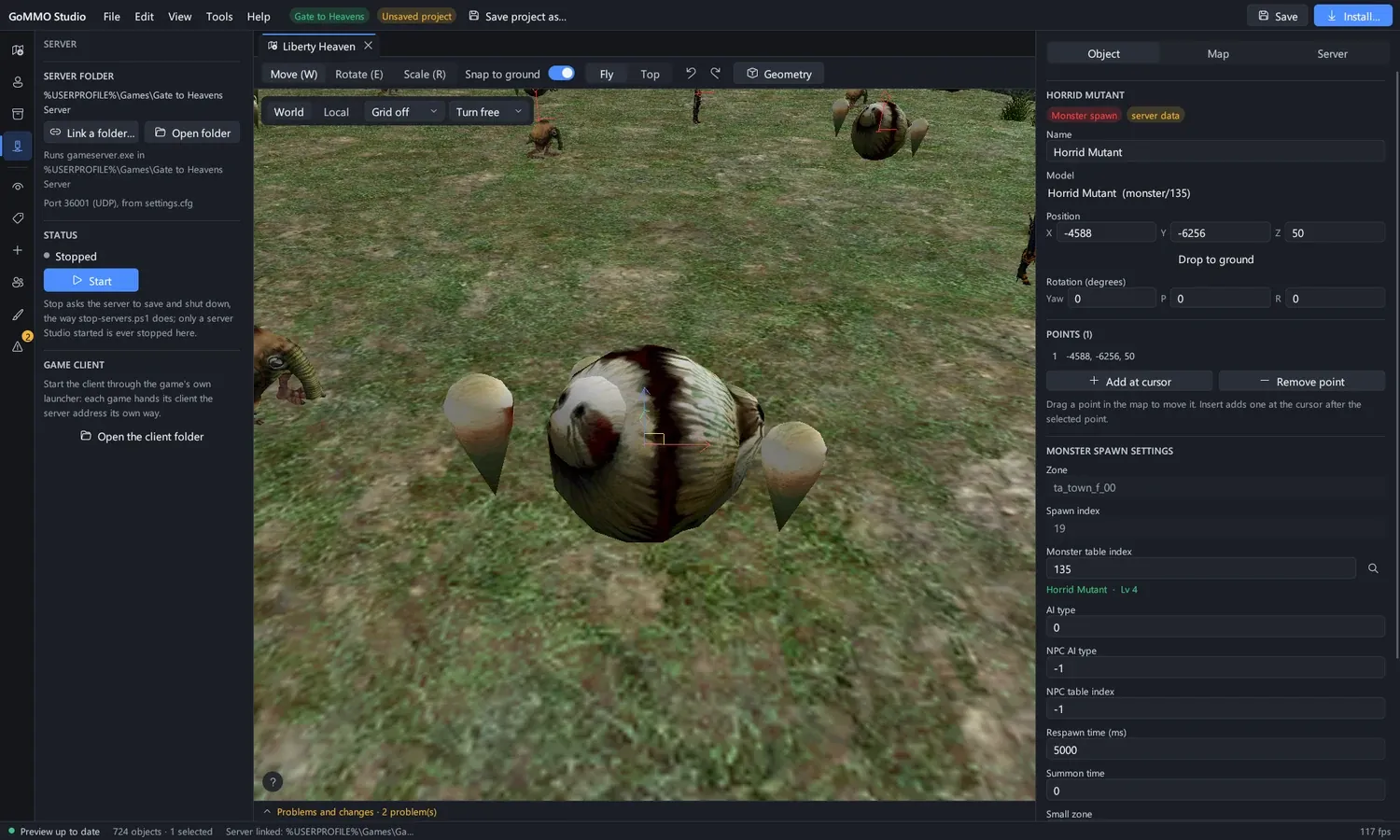 The Server panel: link the game server's folder, start it from Studio, and stop only what Studio started.
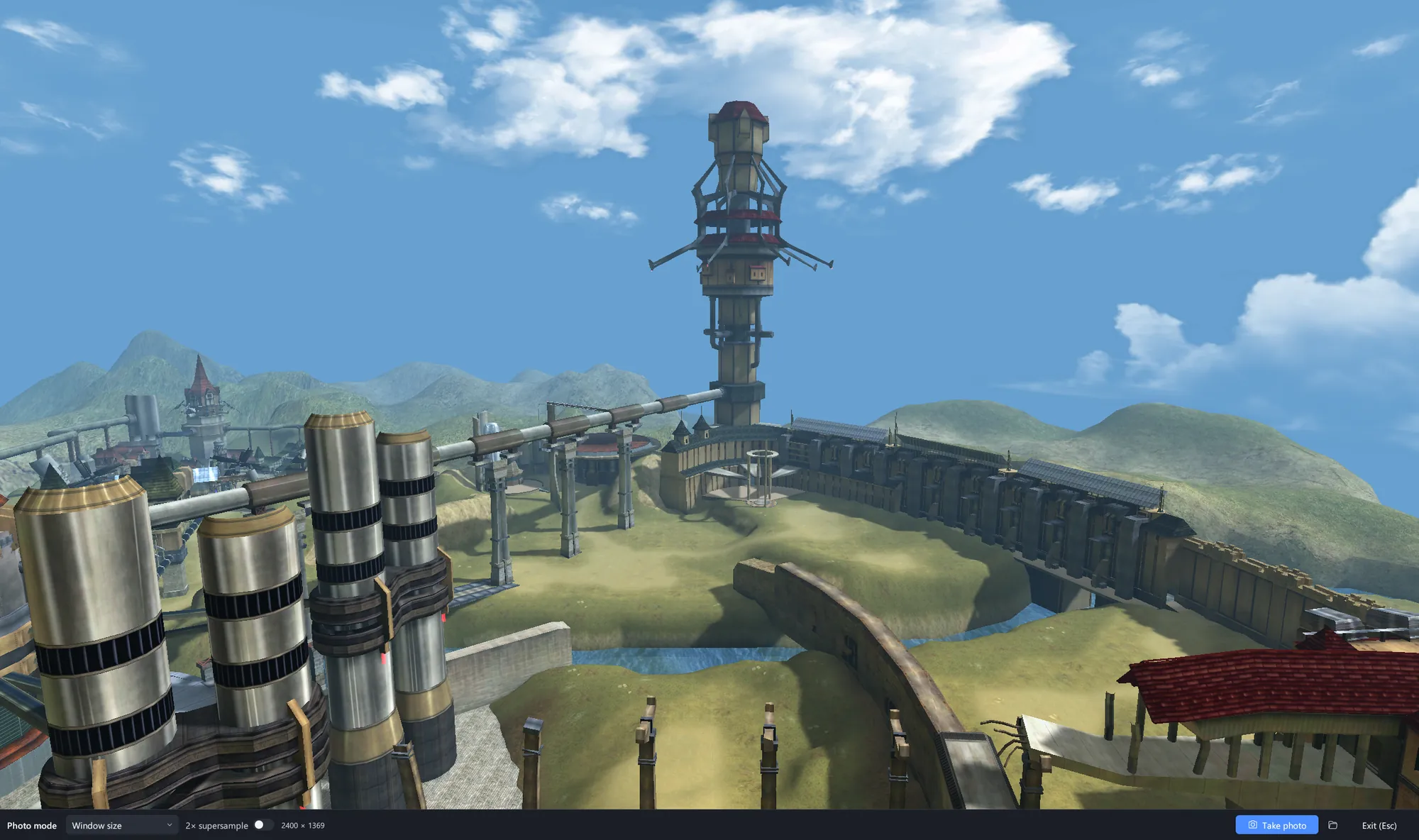 Photo mode: the map fills the window at the photo's shape, with nothing of the editor in it.
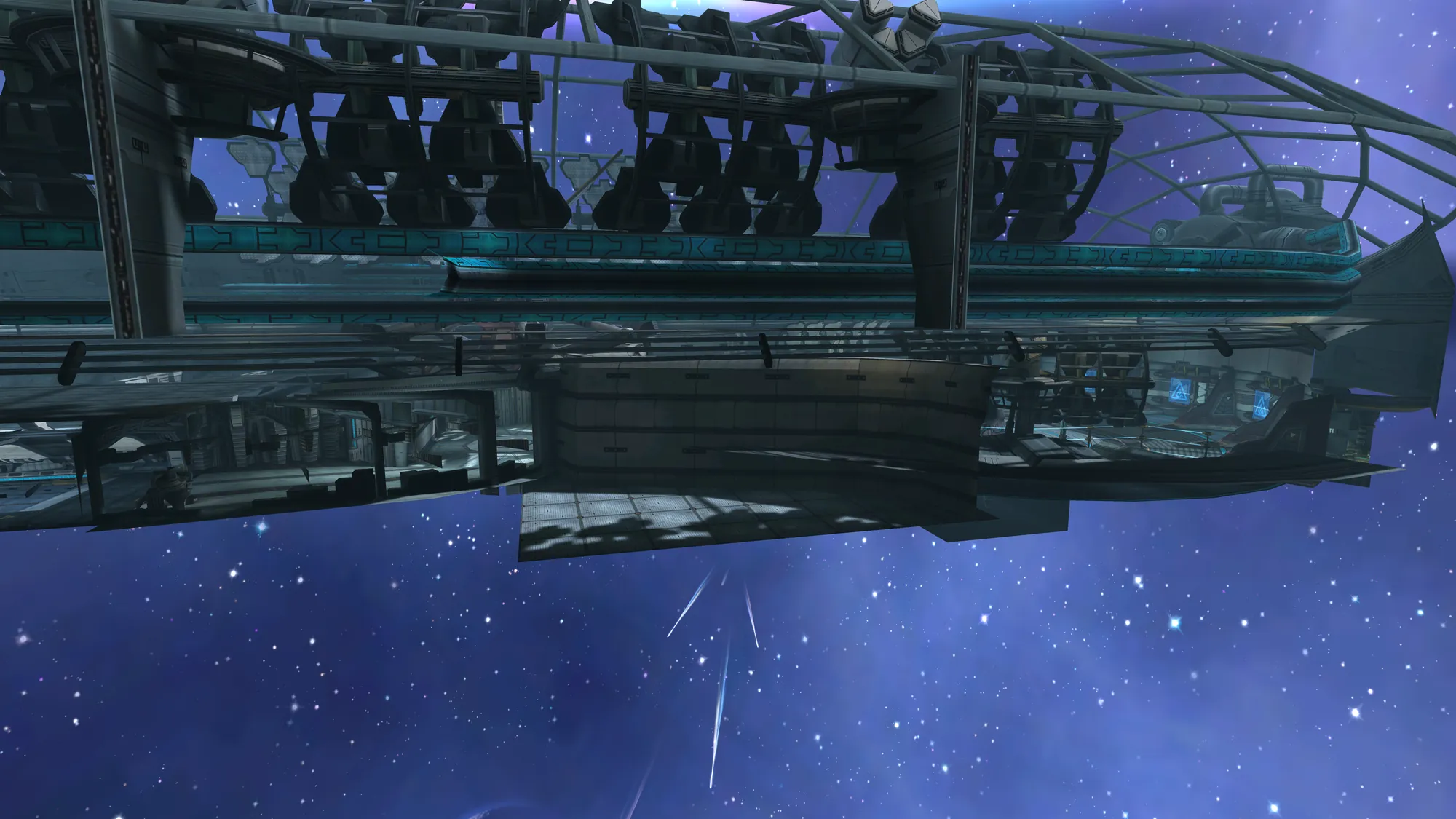 A photo-mode picture of Station Dome from RF Online: Age of Patron, scaled down here from 4K.
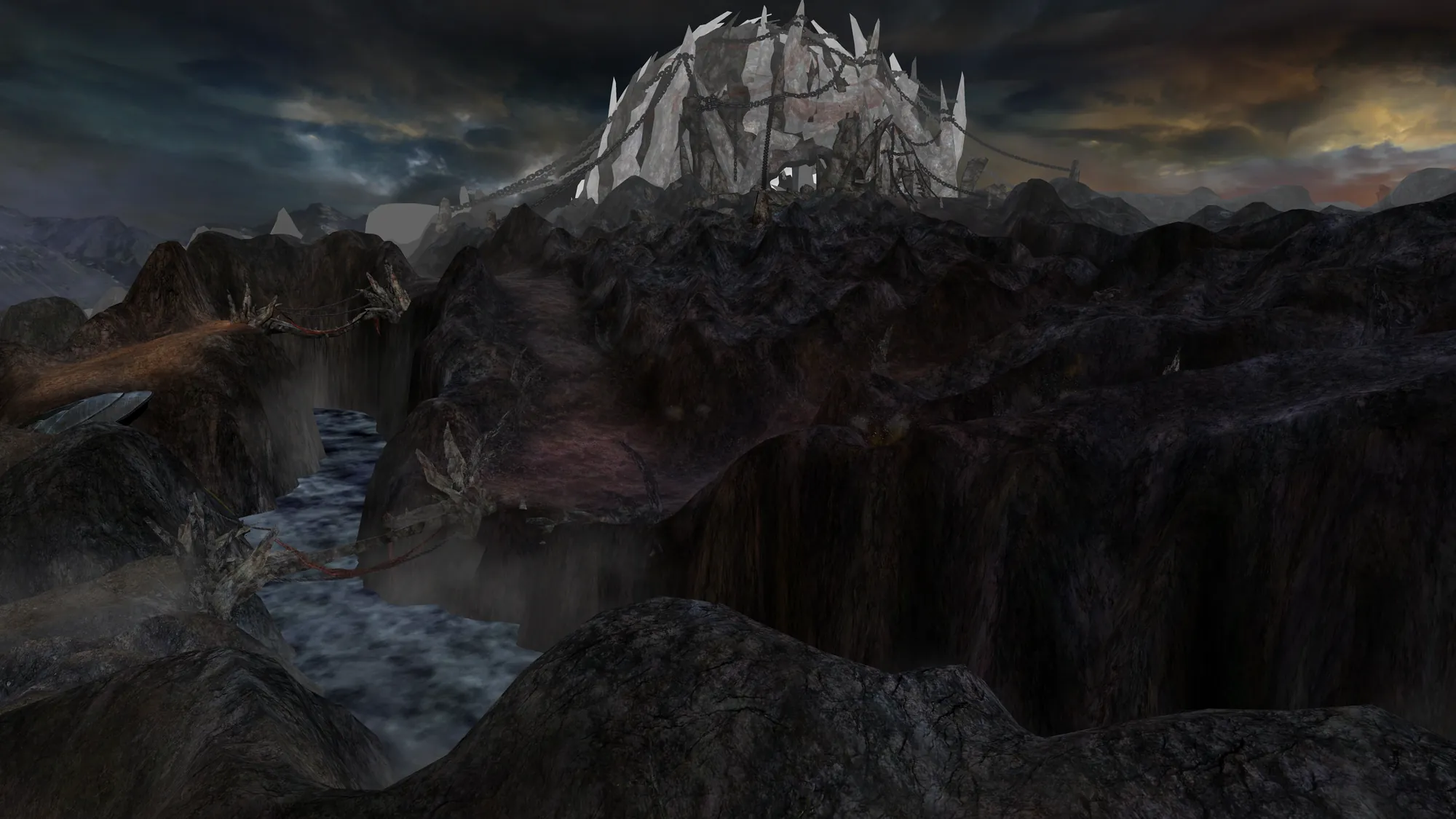 Wounded Land from RF Online 4.55, a 4K photo drawn at twice its size for smooth edges.
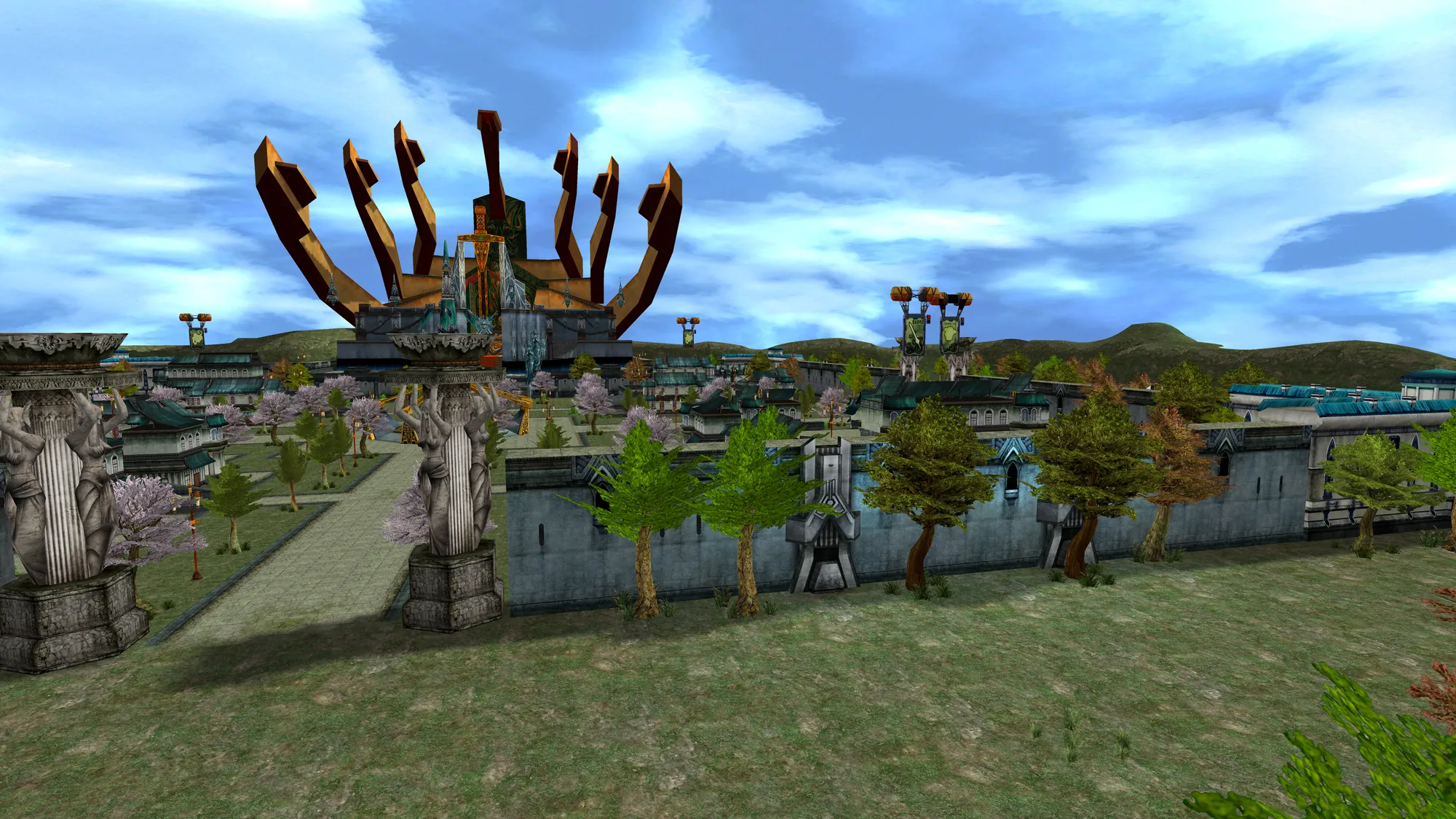 Liberty Heaven from Gate to Heavens, taken in photo mode.
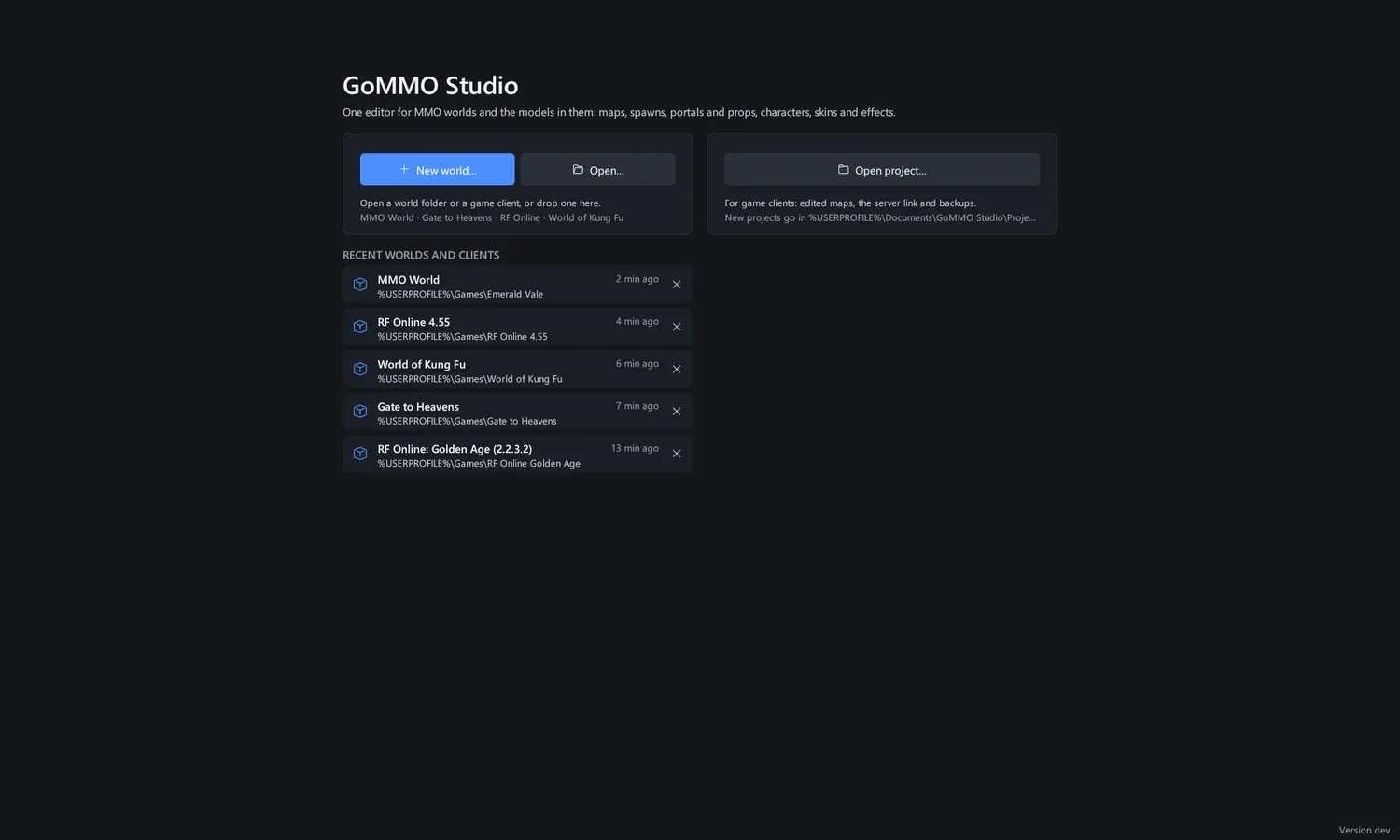 The start screen: open a game client, an MMO World or a project, or start a new world.
Specifications
- Platform
- Windows 10 or 11, 64-bit
- Graphics
- A GPU with Vulkan or DirectX 12
- Install size
- One program file, no installer
- Games
- MMO World folders, Gate to Heavens, RF Online 1.0.5 to 4.55, World of Kung Fu
- Model formats in
- glTF, GLB, FBX and OBJ
- Exports
- glTF models, PNG stills and sheets, GIF turntables, MMO World maps
- Updates
- Checks at start-up, signed, installs on restart
- Price
- Free
What's in the box
- gommostudio.exe: one file, unzip it anywhere and run it
- A map editor, a model viewer, an archive browser, a texture recolourer and a server panel
- Projects that keep your work apart from the game until you install it
- Signed self-updates, so you are always on the newest version
Questions
Does it change my game client?
Not until you press Install. Opening a client only reads it. Your edits go into a project folder, and Install shows exactly which files it writes and backs up every one it replaces, so Restore puts the client back as it was.
Which games does it work with?
Gate to Heavens and Gate to Heavens Classic, RF Online from 1.0.5 to 4.55, World of Kung Fu, and any game you build in the open MMO World format.
Can I use my own models?
Yes. Import glTF, GLB, FBX or OBJ models as props, and a game's own model files open in the viewer for skinning, capture and glTF export.
Does it need an internet connection?
Only to check for updates, which you can turn off. Everything else runs on your own computer.

GoMMO Studio is nearly here
Watch it and you get a notification the moment the first version ships.
Found a problem? Reports for GoMMO Studio get their own numbers and go straight to the people who work on it. Report a bug