DragonSoul
Eight kingdoms at war over one throne. Follow the five steps below to run your own server and log in to it. The bonus steps are for when you want more.
Up to 12 xp here for members: 1 per step, and every step again when you finish. Sign in to keep it.
Step 1 · One zip, nothing to install
Download the server
This zip is your whole game world: the server program, the game's content, a database that builds itself, and GoMMO Manager, the window you run it all from. There is nothing else to install first.
- Download DragonSoul v0.1.5 below. It is 57 MB.
- Unzip it into a folder of your own, such as
C:\Games\ds. - Not inside
Program Files: the server saves its database and logs beside itself, and Windows blocks that there.
Technical details
- Check the download: its SHA-256 is
38407578e6e29068ba01ed891f3bf4e5665b5643076b4ba6fc68a535591d3527. - On Linux, run
server/start-server.sh, orsudo sh server/linux/install.shto install it as a service.
Step 2 · A separate download
Get the game client
The DragonSoul client, the game program you play, is its own larger download, already installed and set up for your server.
- Download the client below.
- Unzip it to a folder you can write to, such as
C:\Games\DragonSoul.
Technical details
- Already have DragonSoul from the original installer? Copy
dslauncher.exeandlauncher.inifrom the server zip'sclientfolder besidegameclient_release.exeinstead.
Step 3 · Your server's on switch
Start it with GoMMO Manager
GoMMO Manager sits at the top of the folder you unzipped. It is the control panel for your server: it starts and stops it, shows you what it is doing, and sets it up the first time.
- Double-click
GoMMO_Manager.exe. - Press Start. If Windows asks about the firewall, allow it.
- The first time, Server Setup opens by itself. Create your owner account: that is you, the administrator.
- Watch the log. When it says the server is listening, your world is up.
Technical details
- Switch Auto on and the manager restarts a server that stops on its own.
- It backs up every database each day into
backups/, and updates the server when a new release is out. - The first start takes longest: the server builds its database and imports the game content.
Step 4 · Log in to your own world
Connect and play
Your server is running on your own computer. Now point the game at it and log in. Your computer is both the server and the player, so the address is 127.0.0.1, which means "this machine".
- Run
dslauncher.exein your client folder. It shows whether your server is online. - Start the game and sign in with any name and password. The account is created the first time you use it.
Technical details
- To let friends join, GoMMO Manager's Server Setup writes your public address into the client files, and Check Ports opens the firewall. Forward the same ports on your router.
Bonus · Bonus quest · when you want to change things
Make it yours with GoMMO Studio
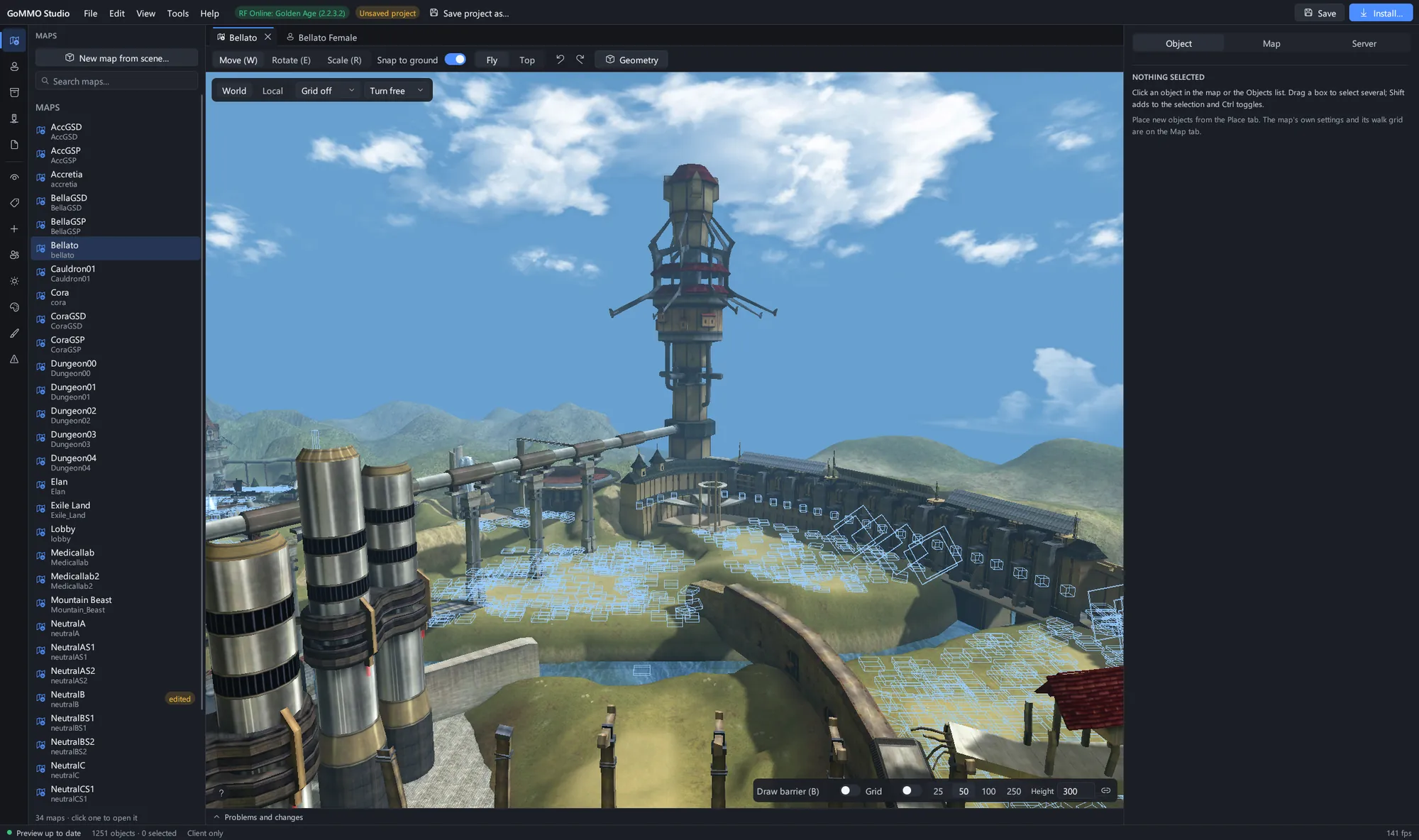
Bring Studio in once your server runs and you want to change it. It opens your game client and your server folder side by side: maps, monster spawns, NPCs, models, textures and game data, then one Install writes the files and keeps backups.
- Download GoMMO Studio and unzip it anywhere.
- Open your game client folder in it, and link your server folder as the project.
- Change something small first, such as one monster spawn. Press Install, restart the server in GoMMO Manager, and go and look.
- On DragonSoul, Studio edits the interface and talks to the running server; the map and model editors do not open its files yet.
Step 6 · Where to ask, report and follow
Join the community
Every server here is built in the open, and the people running them are the best help you will find. Ask when you are stuck, report what breaks, and follow the game so you hear about each new version.
- Something broke? Report a bug with what you did, what happened and a screenshot. Fixes land for everybody.
- Stuck on a step? Ask on Discord or the forum. Say which game and which step.
- A notification the day DragonSoul ships a new version
- Reporting a bug, and hearing when it is fixed
- Posting on the forum and in chat
- This guide's progress on every device
All steps done
You run your own DragonSoul server.
That is the whole loop: server, manager, client, community. Where next?